
Step 1: Accessing Your Messages.
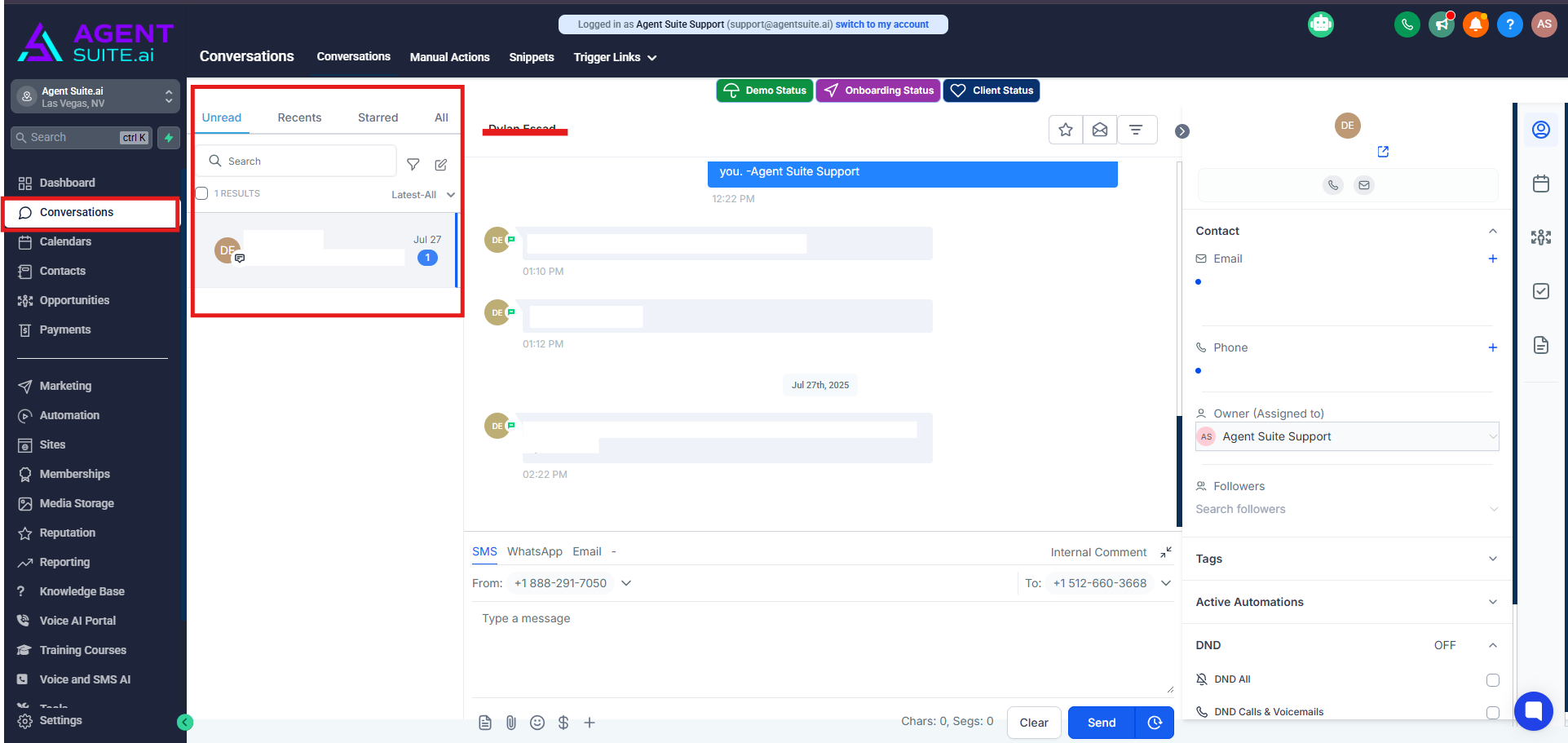
Click into your Conversations inbox.
In the first column on the left, you’ll see a list of your messages.
You can navigate between unread, recent, and all messages. Unread messages are messages that have not yet been read. Recent will show messages received within the last several days. All will of course be all of your messages.
You can search in the box at the top for a specific message.
Step 2: Viewing Conversation History
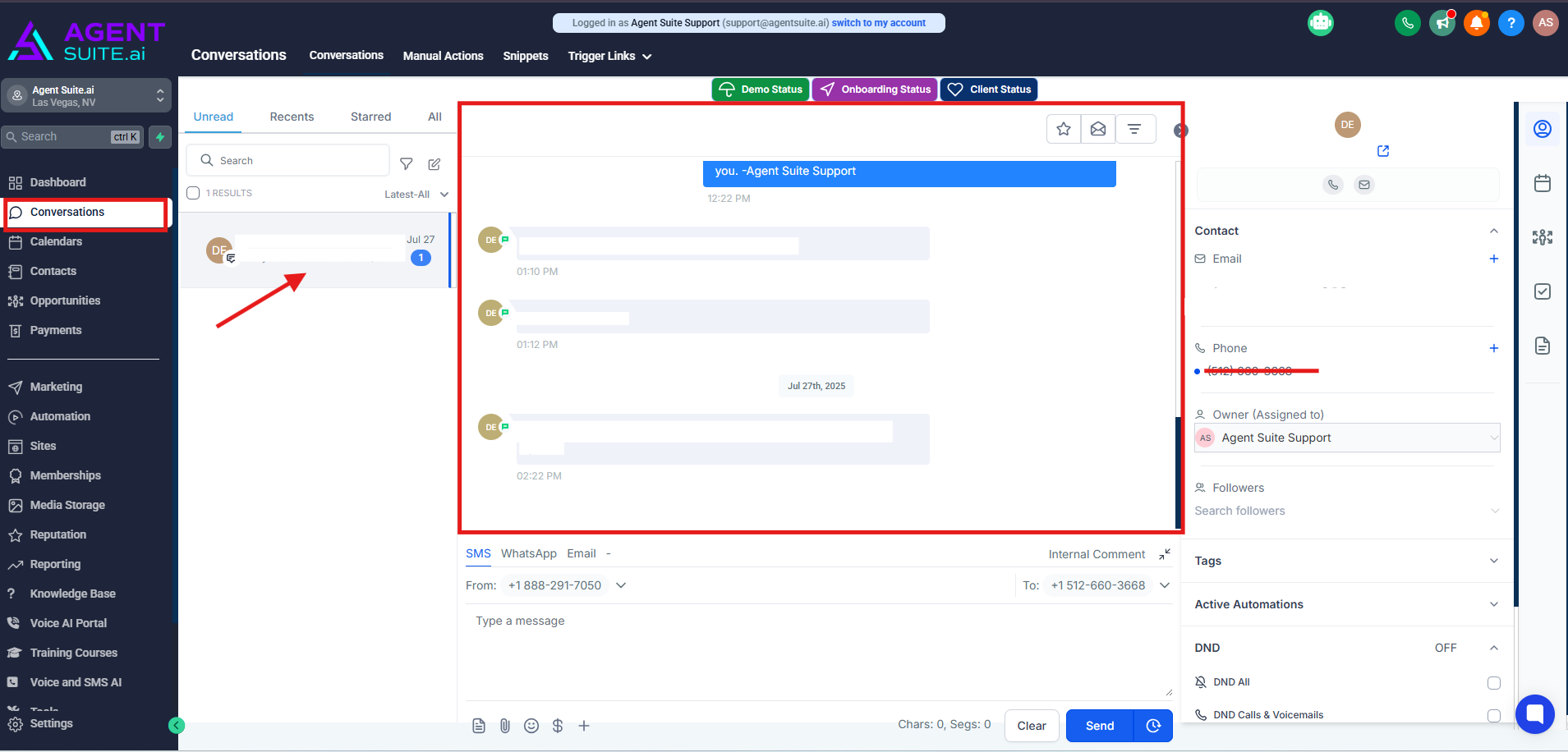
When you click into a message, you'll see the conversation history in the center.
You can scroll up and “fetch older messages”, depending on the length of history of conversations you've had with the particular contact.
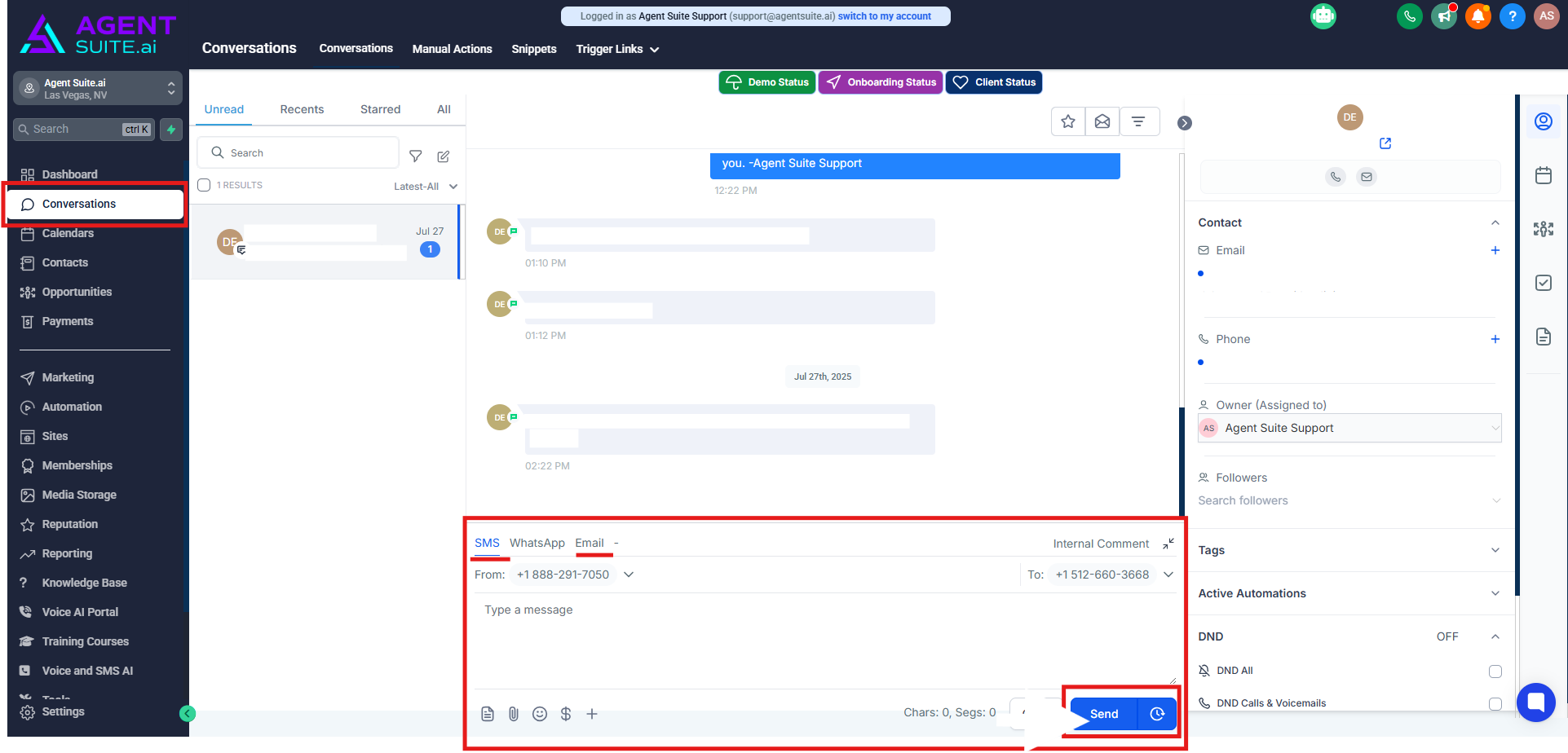
Step 3: Marking unread conversations as read. You have a few options to do this...
You can respond using an SMS or email at the bottom of the conversation history section in the center panel.
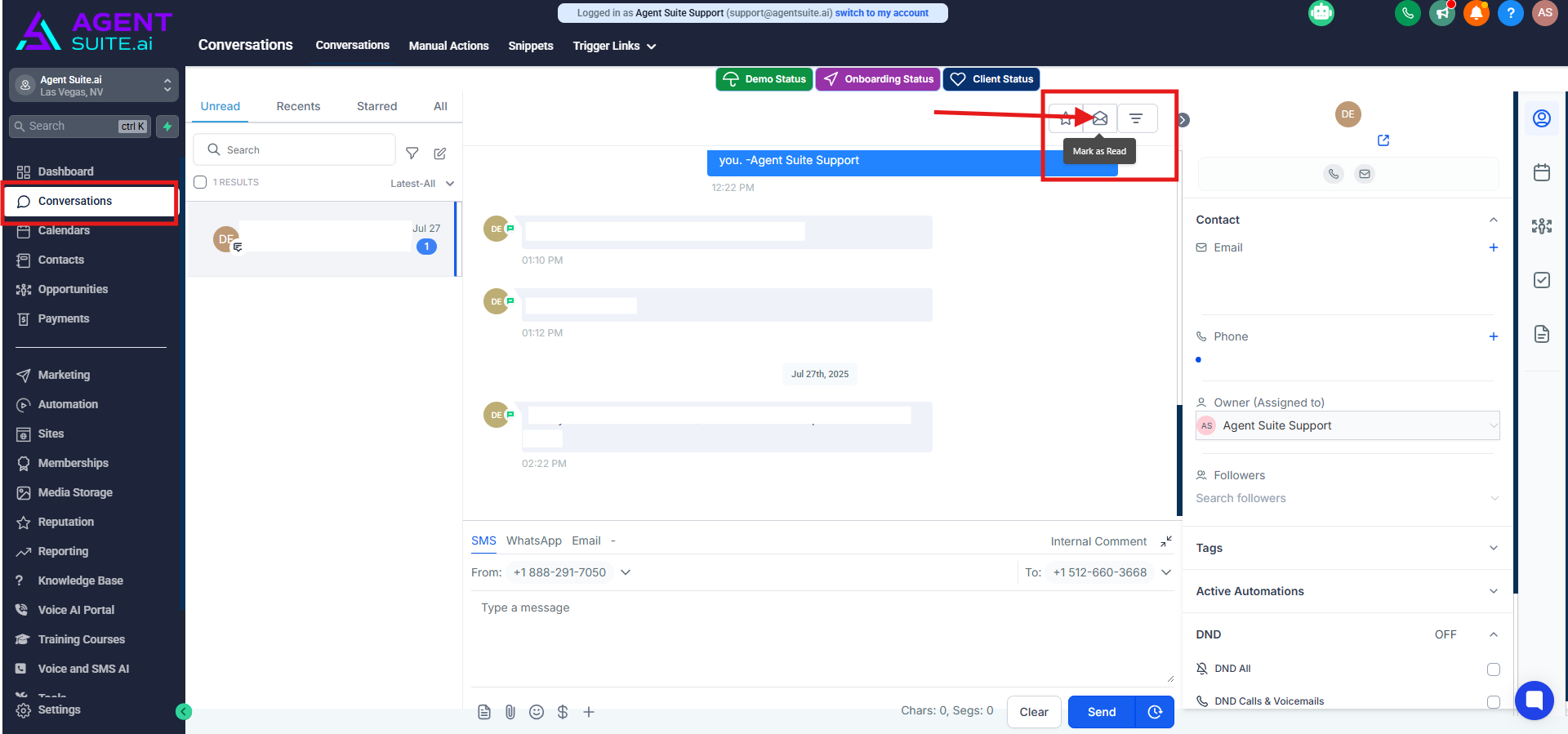
In the top right, there’s a button to mark the conversation as read.
Step 4: Viewing Contact Information associated with the conversation
The third panel on the right-hand side, provides a snippet of the contact information for the user that you are interacting with.
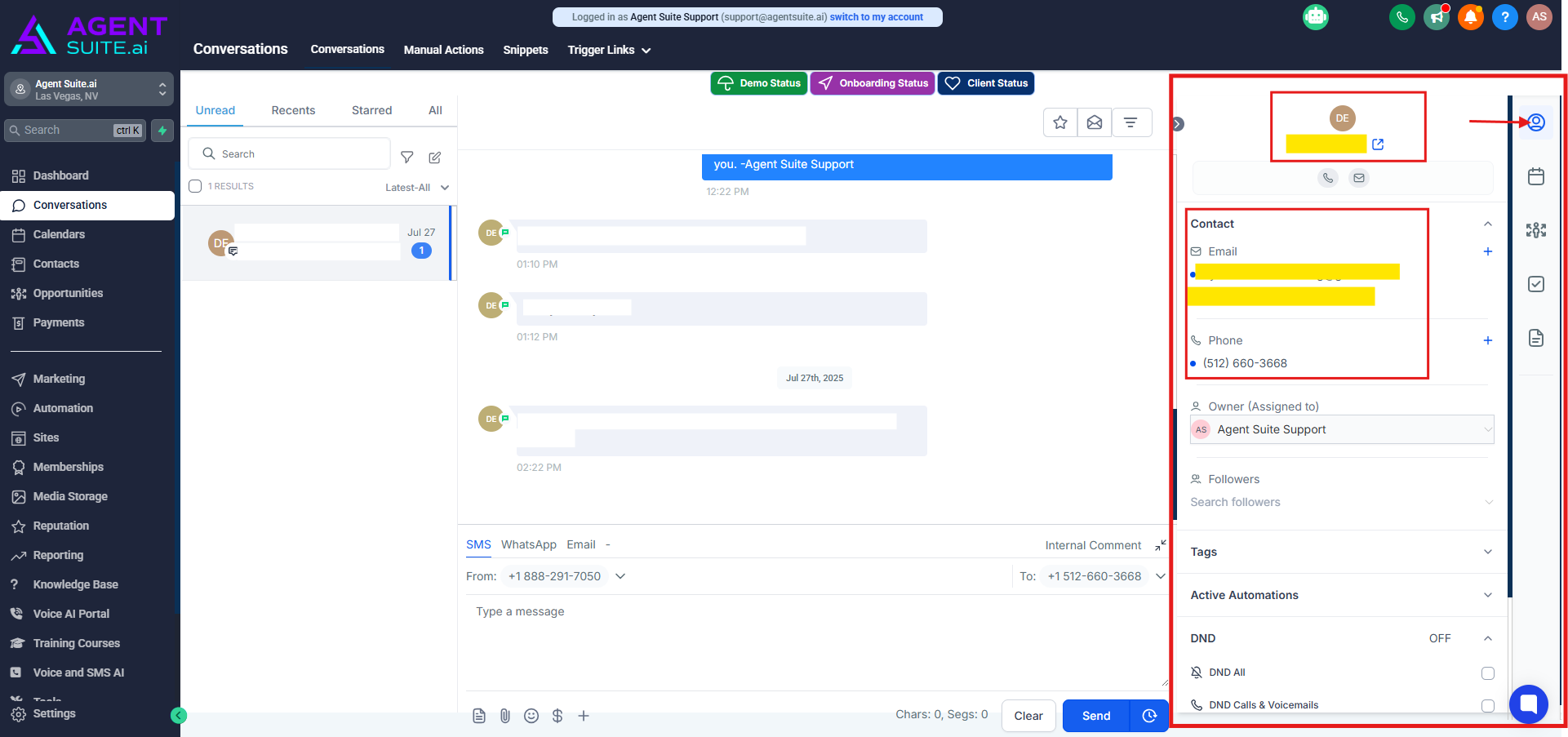
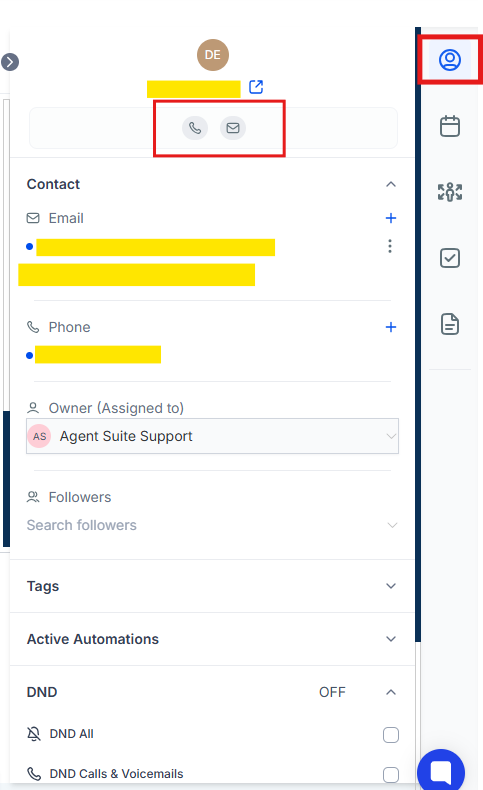
You can click the phone button to call the phone number, and you can view their email address.
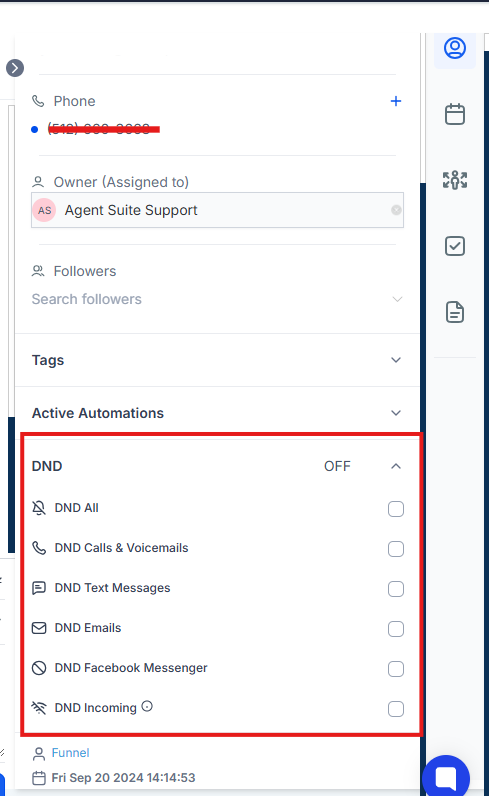
You can add tags, toggle on or off the DND.
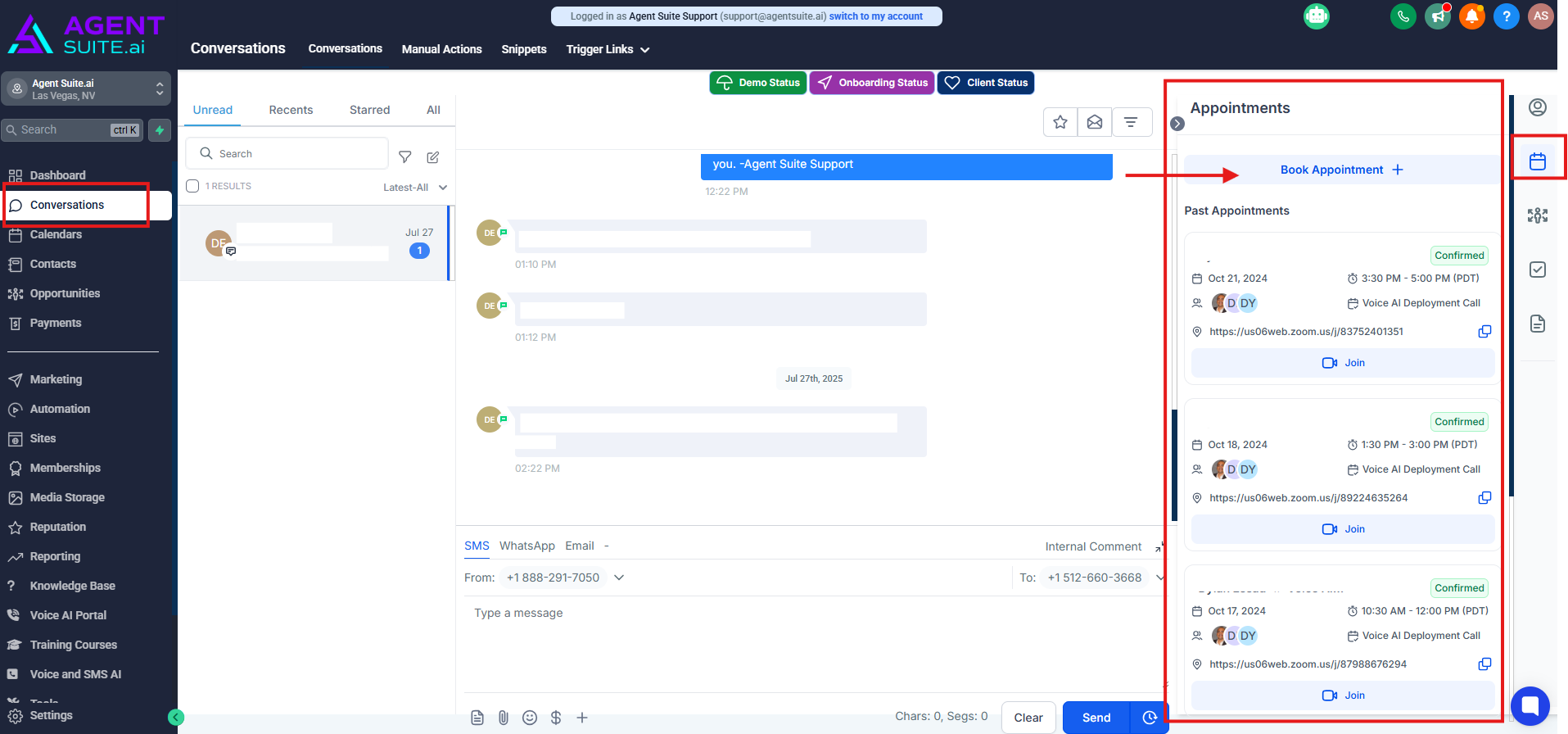
By clicking “Schedule” you can book an appointment for the user.
Conversations can be completely deleted or archived, using the buttons in this 3rd panel too.