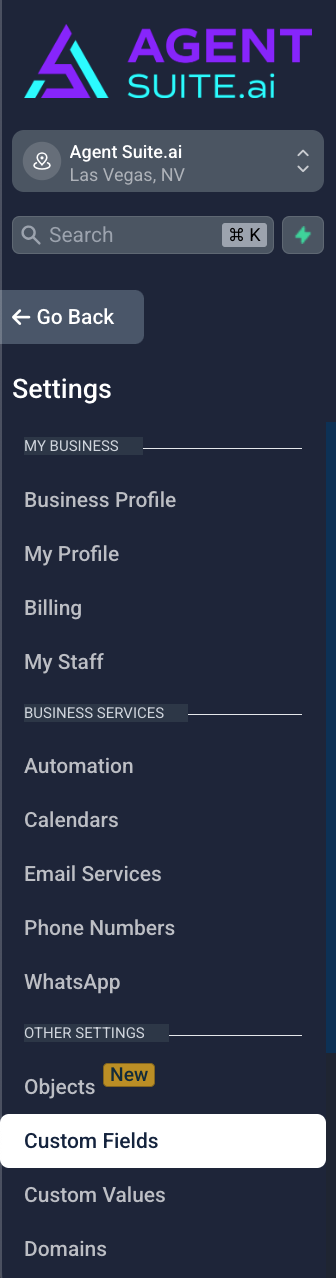
Step 1: Navigate to Settings → Custom Fields
In your sub-account, click on Settings from the left menu, then scroll down and click Custom Fields. This is where you can view existing fields and create new ones for Contacts or Opportunities.
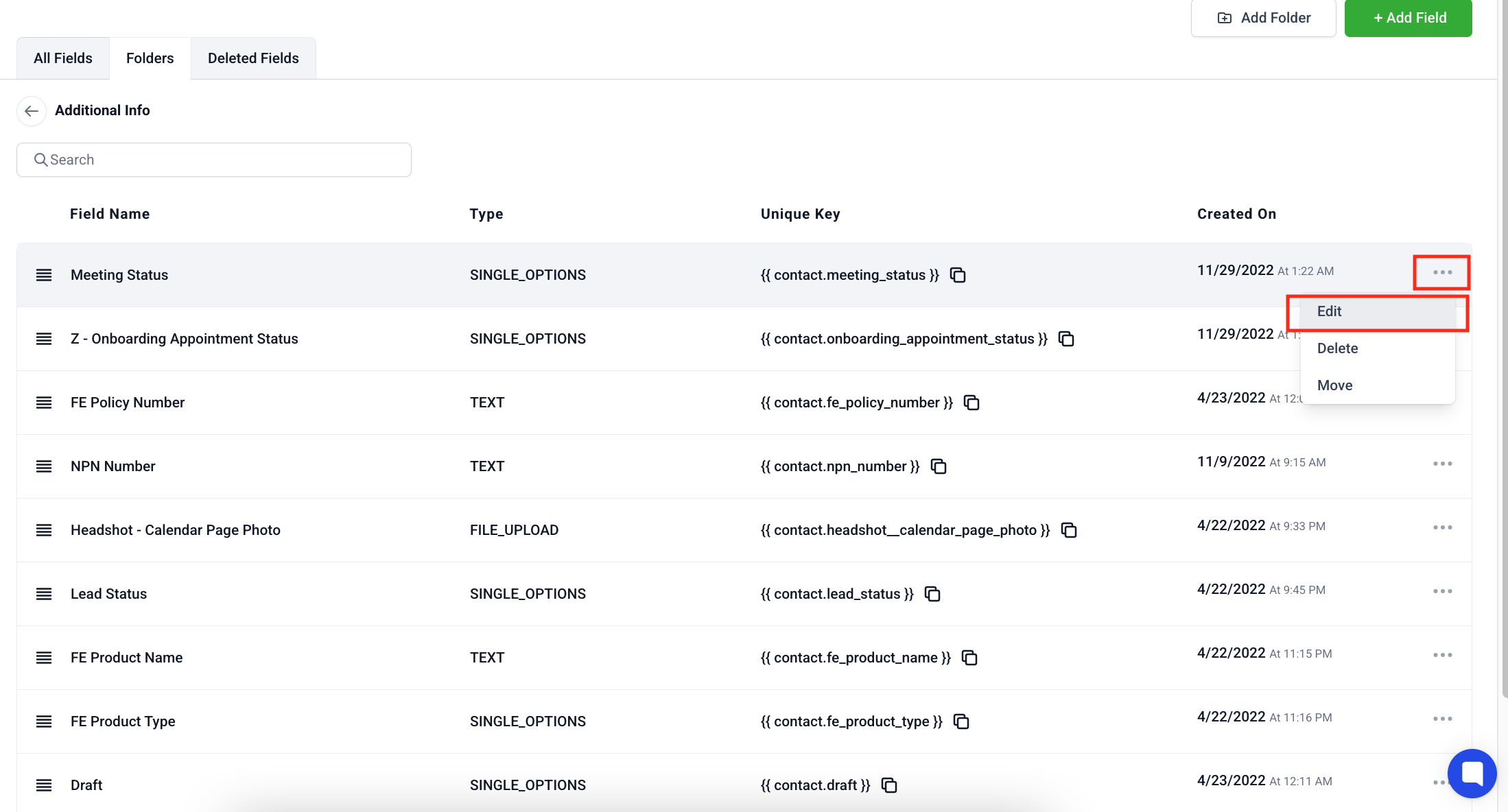
Step 2: Choose the Field that you want to edit.
Step 3: Click the 3 dots on the farthest right of the field you want to edit. Then click Edit.
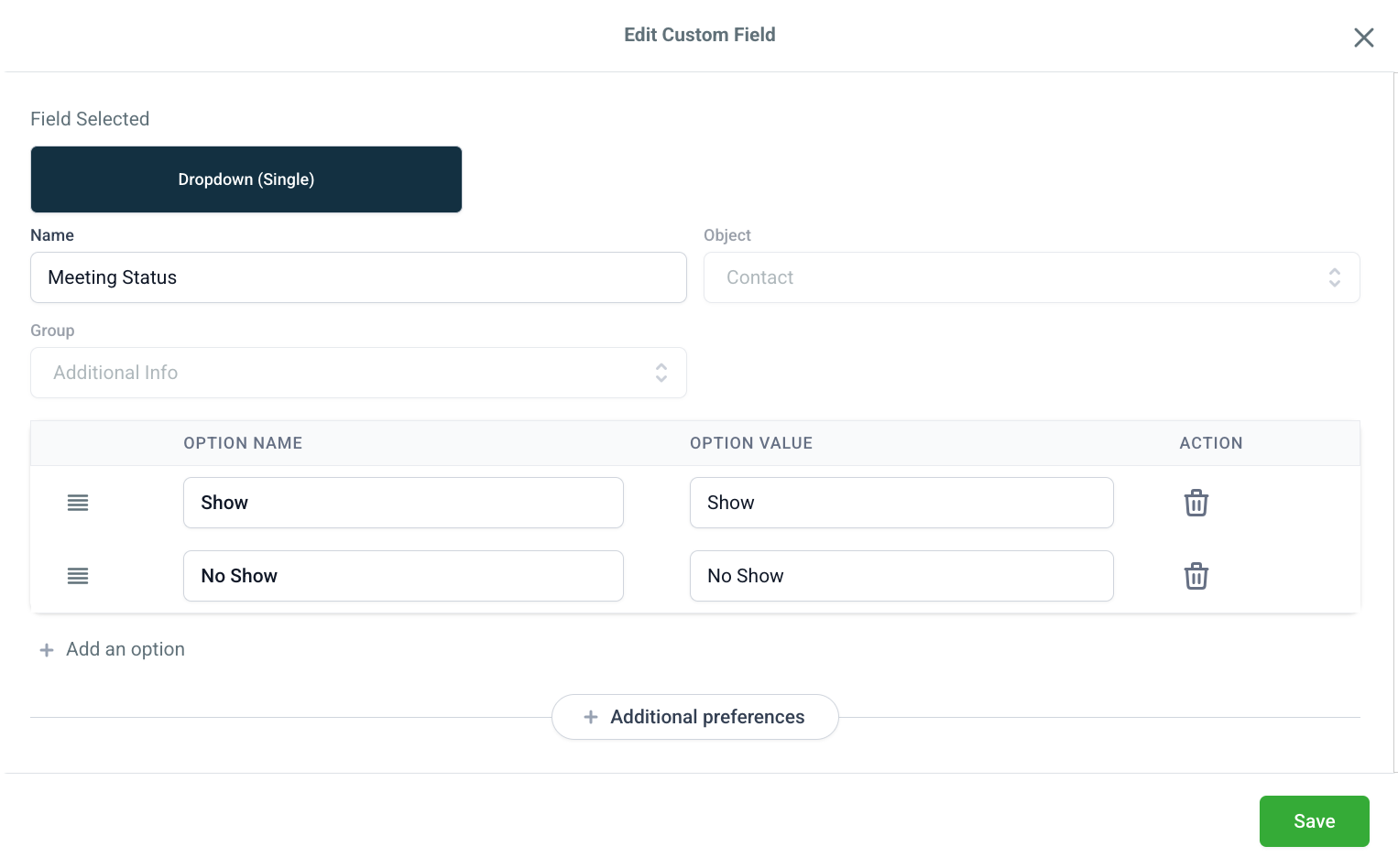
Step 4: Edit the Custom Field. Enter all the details that you want to change.
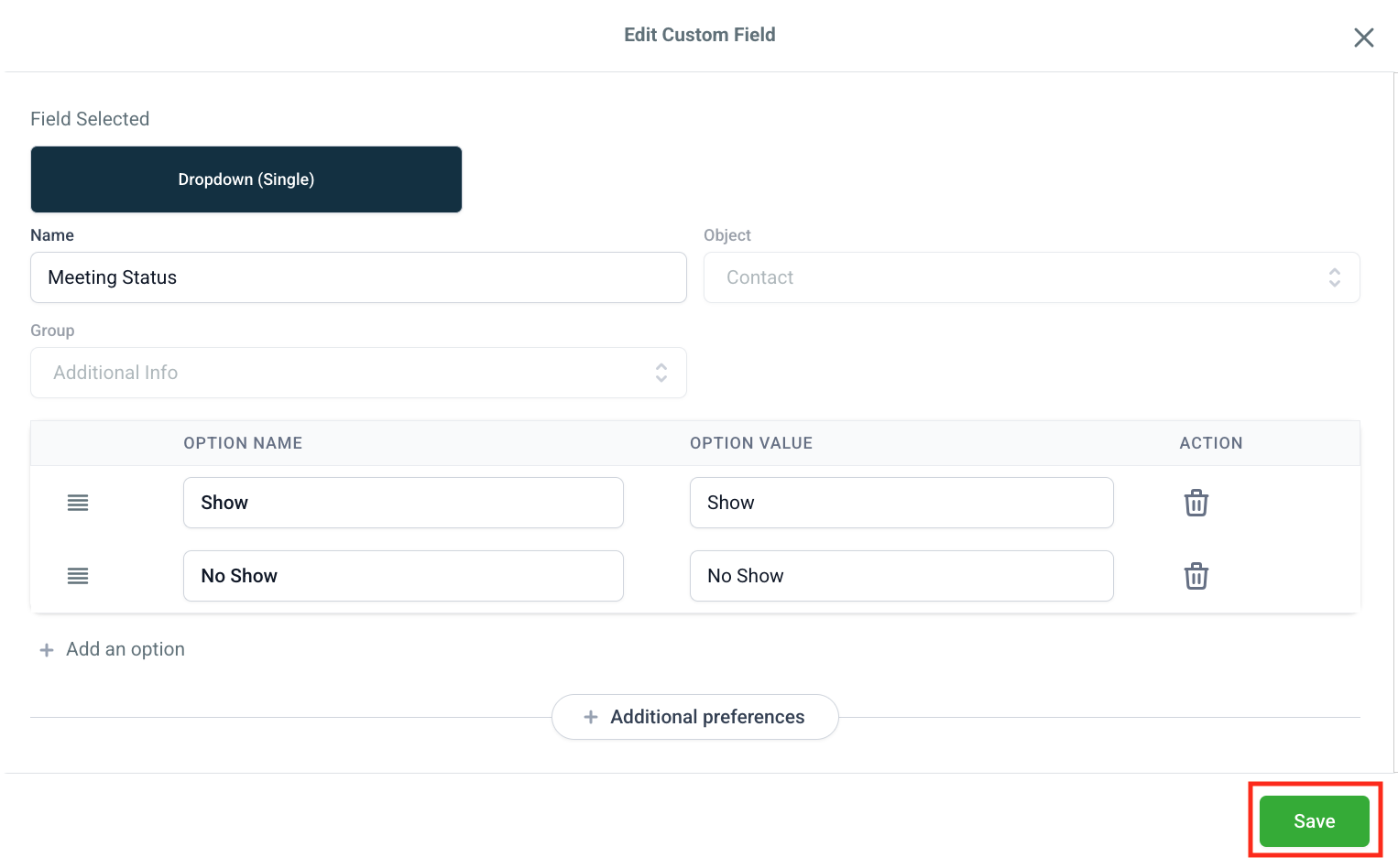
Step 5: Click Save.