
Connecting your booking system with your personal calendar keeps everything in sync. No more double-booking or missed meetings, just effortless organization.
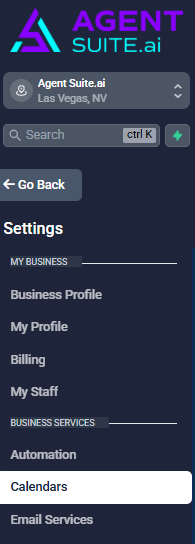
Navigate to Settings > Calendar > Connections.
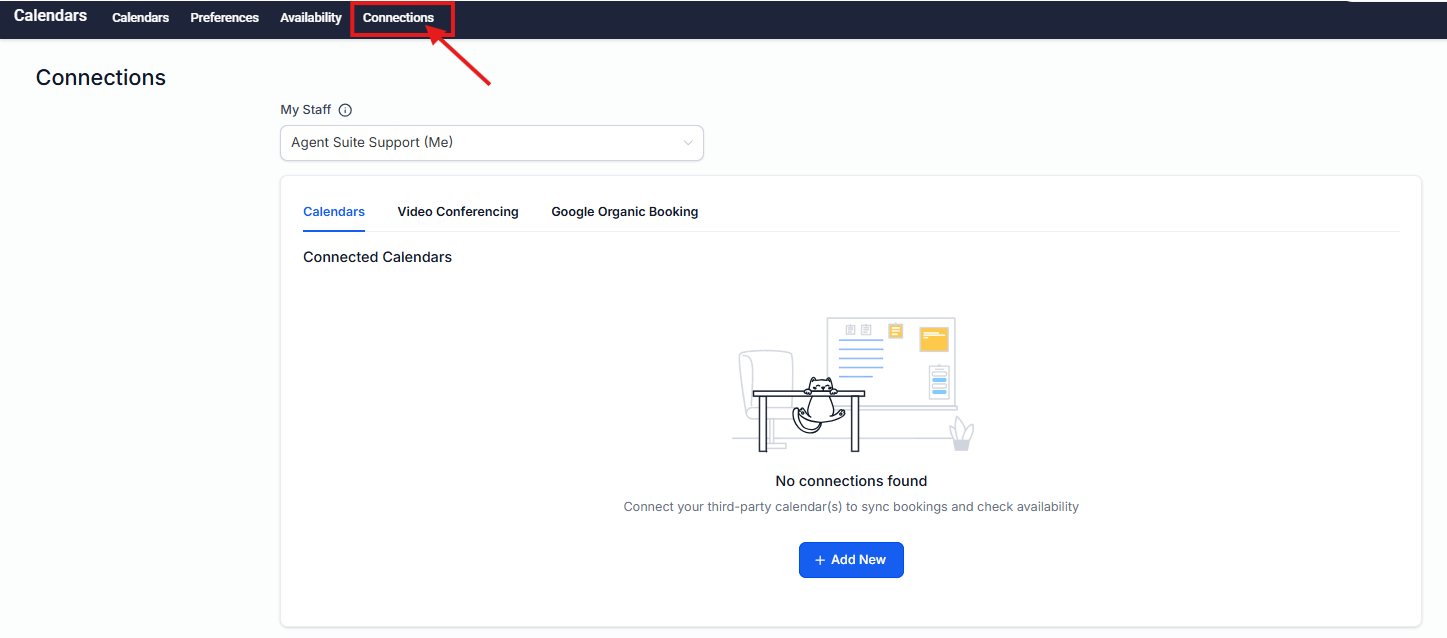
Select the Connections tab and click Add New to connect your personal calendar.
Then select the Video Conferencing tab and click Add New to link your preferred conferencing tool.
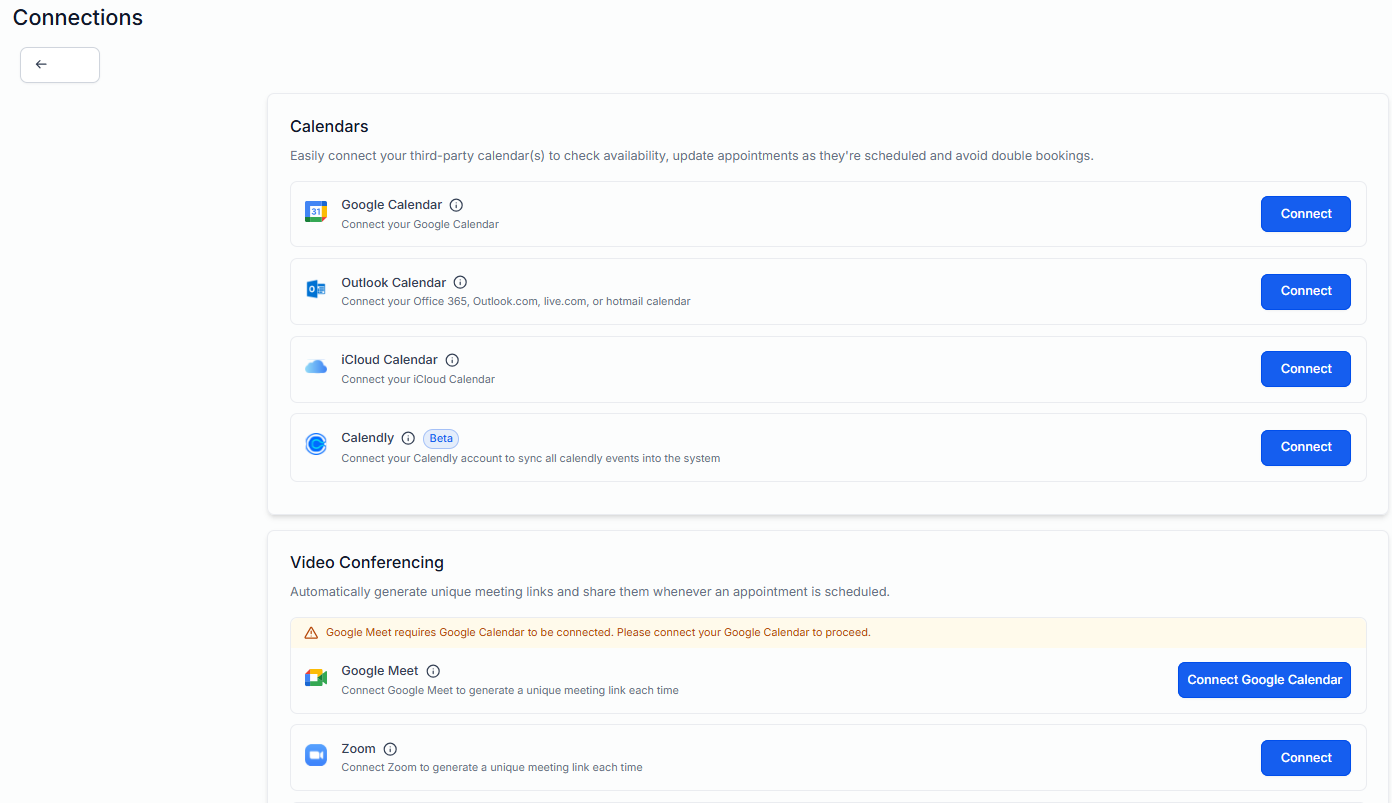
Next, double-check that your integrations are syncing properly to enjoy seamless scheduling!