Why Does Error 30007 Happen?
Error 30007 means your SMS message was blocked or filtered by the carrier.
Common reasons:
Sending SMS without the recipient's consent (opt-in).
Messages that look like spam or contain suspicious links.
Sending too many similar messages within a short period.
How to Prevent Future SMS Issues or Suspensions
Follow these best practices to help prevent your messages from being blocked:
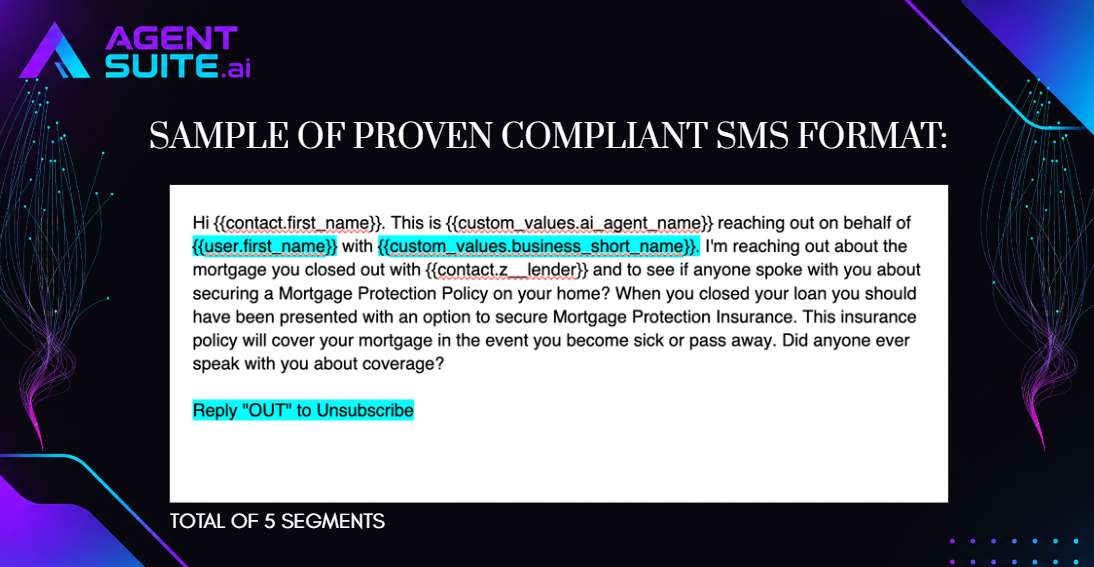
1. Include Opt-Out Instructions
Add “Reply STOP to unsubscribe” in your first SMS to let recipients know how to stop receiving messages.
2. Identify Your Business
Introduce yourself or your business in the first message so recipients know who is contacting them.
3. Avoid Messaging Numbers That Cannot Receive SMS
Avoid sending messages to landlines or numbers that cannot receive text messages. Use Number Intelligence to identify these numbers and temporarily apply DND when needed.
4. Avoid Public URL Shorteners
Avoid using public link shorteners like Bitly or TinyURL, as carriers may flag them as suspicious. Instead, use links from your own business domain and avoid unnecessary redirects.
5. Get Proper Consent Before Sending SMS
Make sure contacts have agreed to receive text messages from your business before adding them to your workflows. Keep records of consent in case Twilio requests proof of opt-in.
Important Reminder: Following these practices can help reduce SMS delivery issues and the risk of carrier filtering or campaign suspension. However, they do not guarantee that every message will be delivered.