Step-by-Step Process
Navigate to the Subaccounts menu and locate the subaccount you want to add a member to. On the right side, click the three dots and select the option to invite the member.
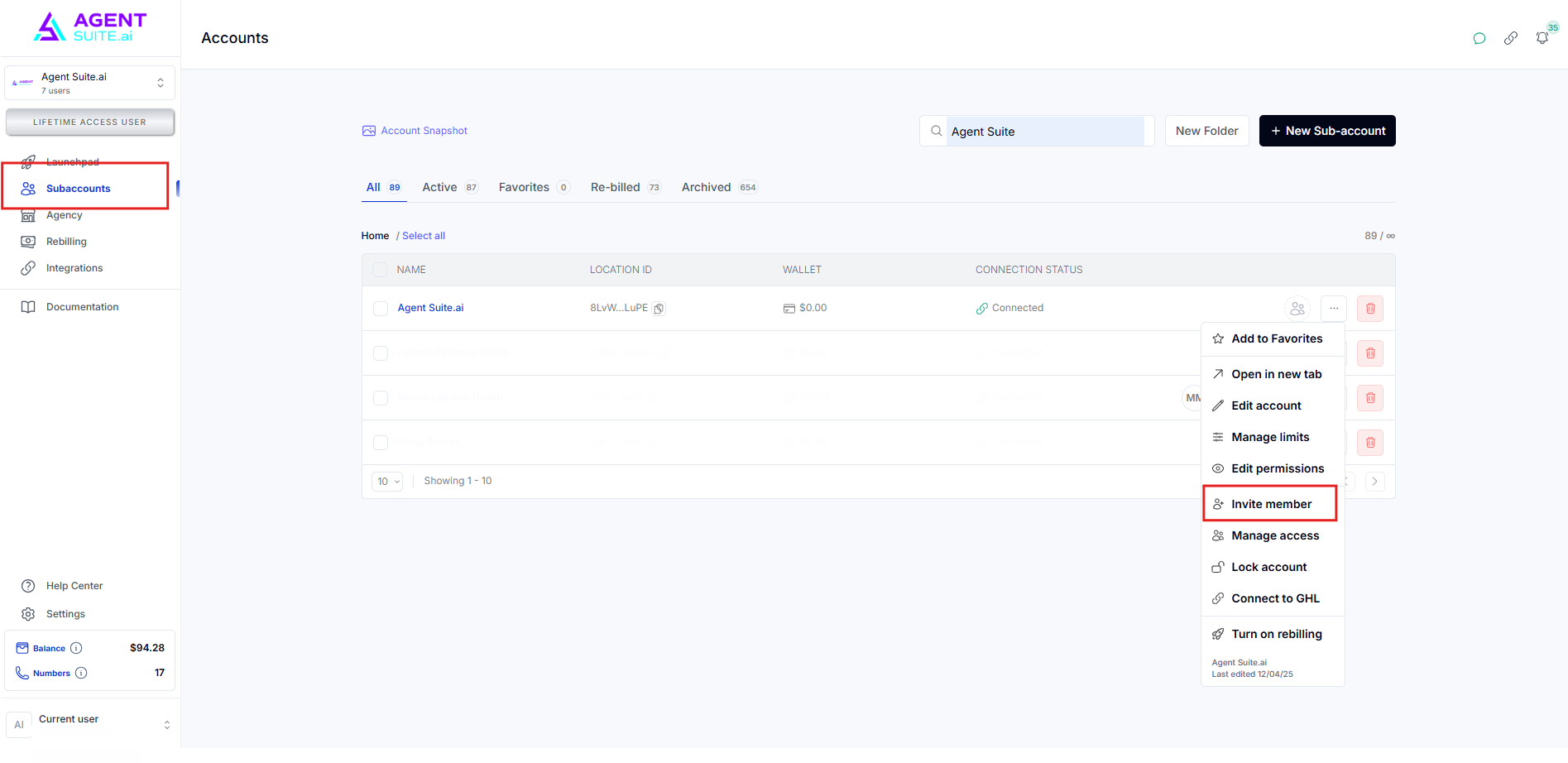
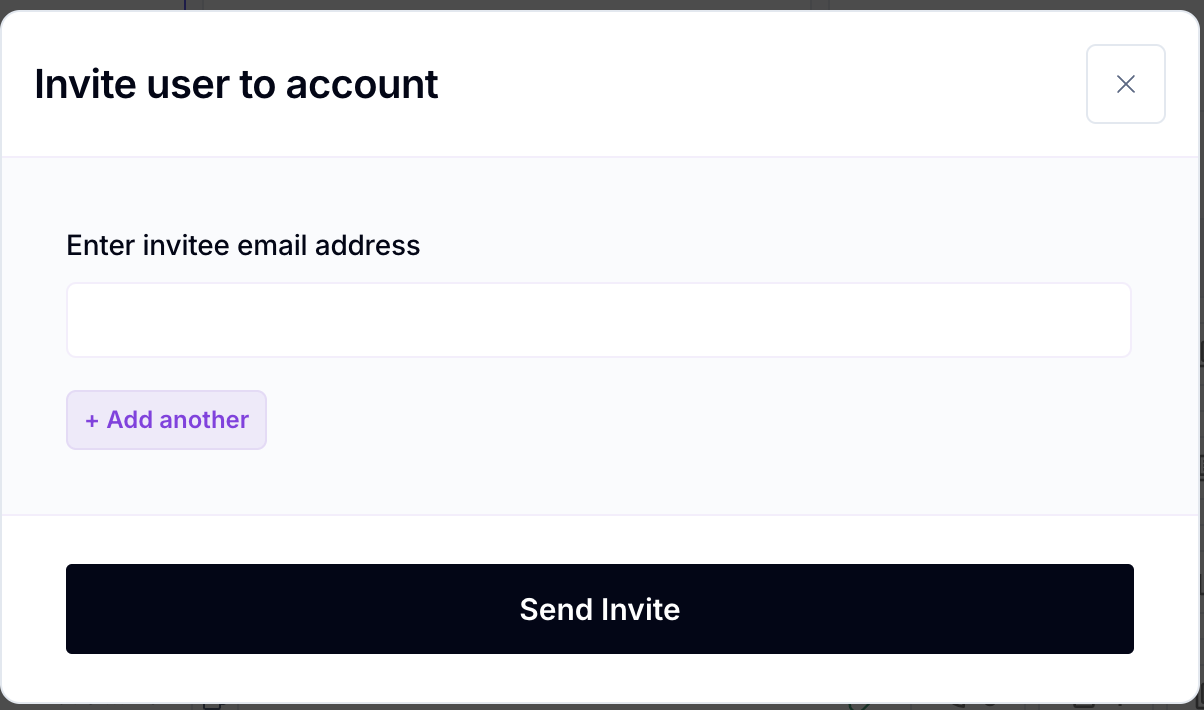
Before you will be able to see their Billings settings or be able to set up their Wallets, they need to be Invited as a member to their Workspace. Simply go to your Agency Workspace, find their Sub-Account, select "Invite member" and send an invite to their email address.
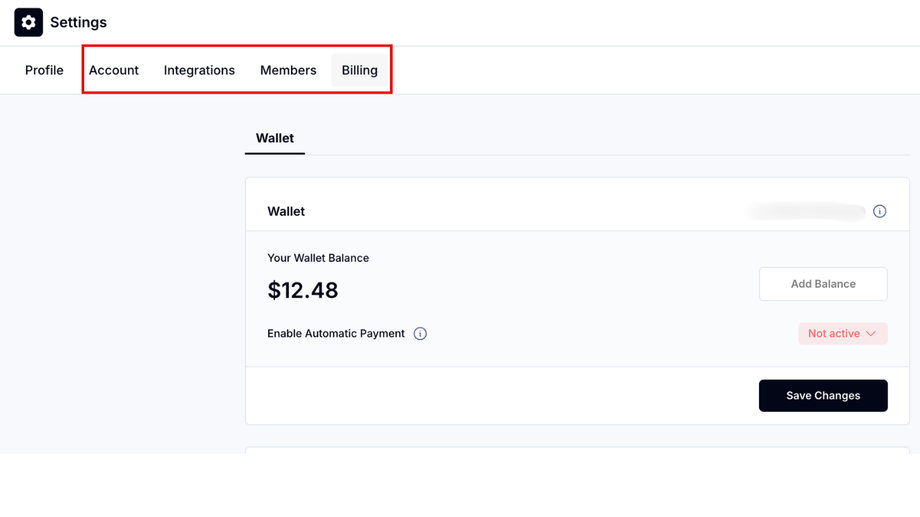
Once the user has been invited as a member to the workspace, they will have access to a new set of menus inside of their workspace where they were will be able to set up their Billing and their wallet. If they want someone else to be able to view these menus, they need to be added to the workspace.