Step=by-Step Process
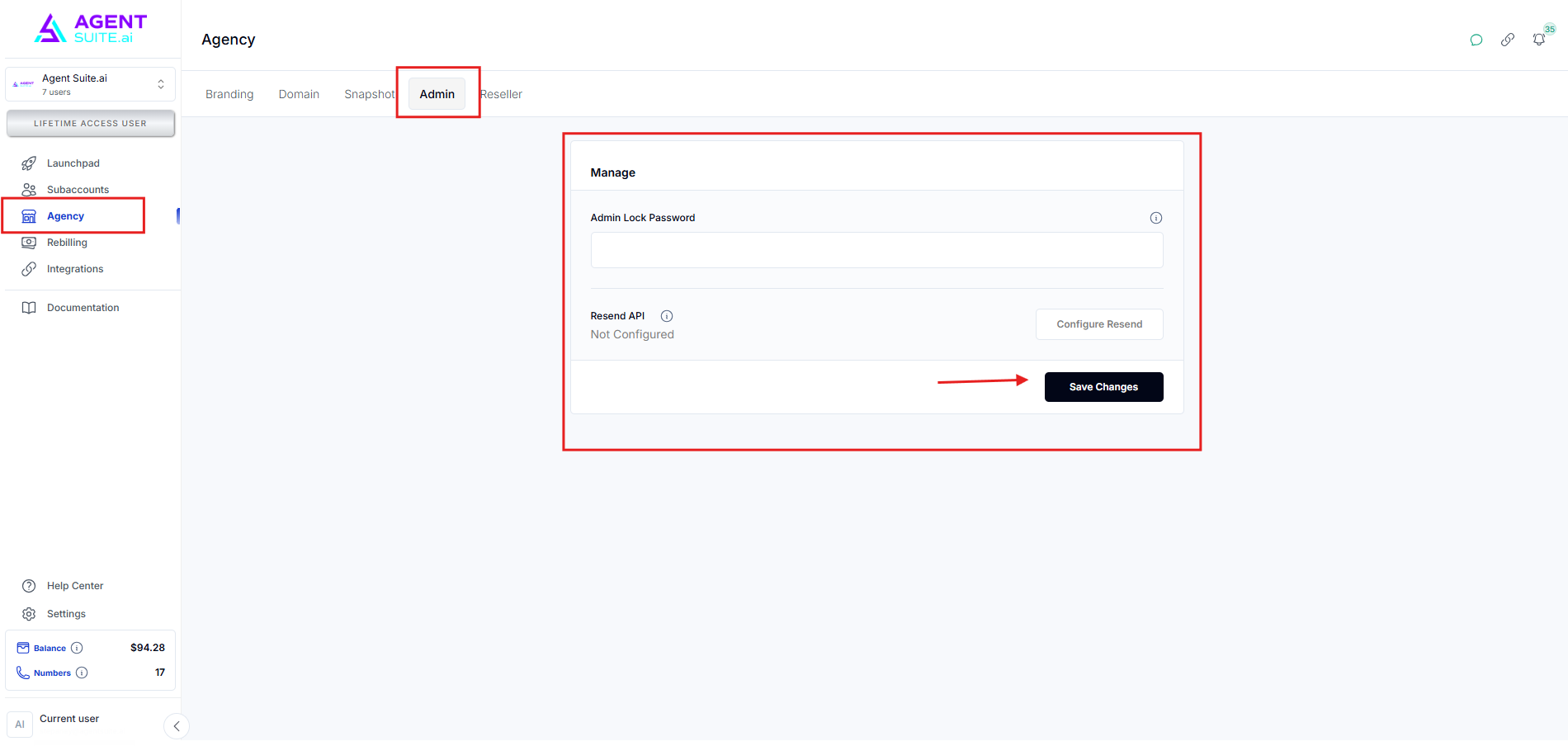
Navigate to your Agency Menu. Click Admin on the top navigational menu.
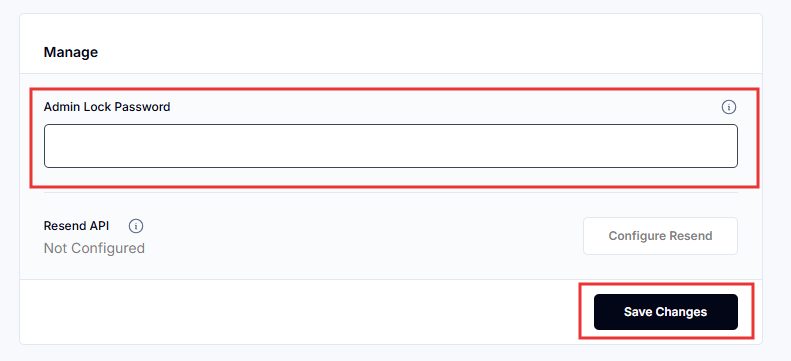
Set your admin password. Save your Password.
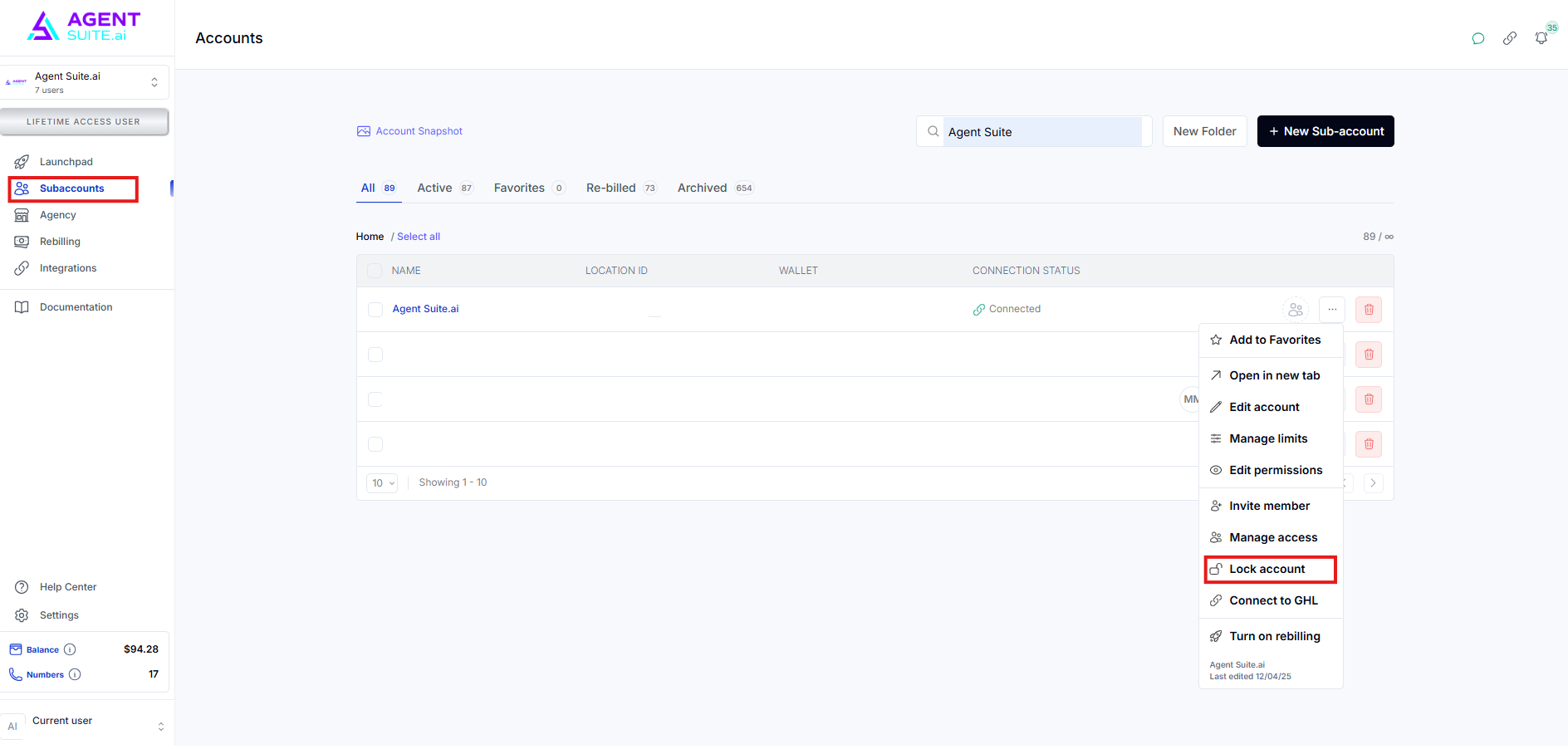
Navigate to Subaccounts. Then find your subaccount. Click the three dots to open the dropdown menu. Click the Lock account to restrict access to the subaccount. This ensures that no one can access it without the admin password.