Click on the Agency tab in the main dashboard.
Under New Accounts Have a Snapshot, toggle ON all features you want new sub-accounts to have.
To hide features from clients (e.g., call center, widgets), toggle OFF their visibility.
Admins will still see hidden features.
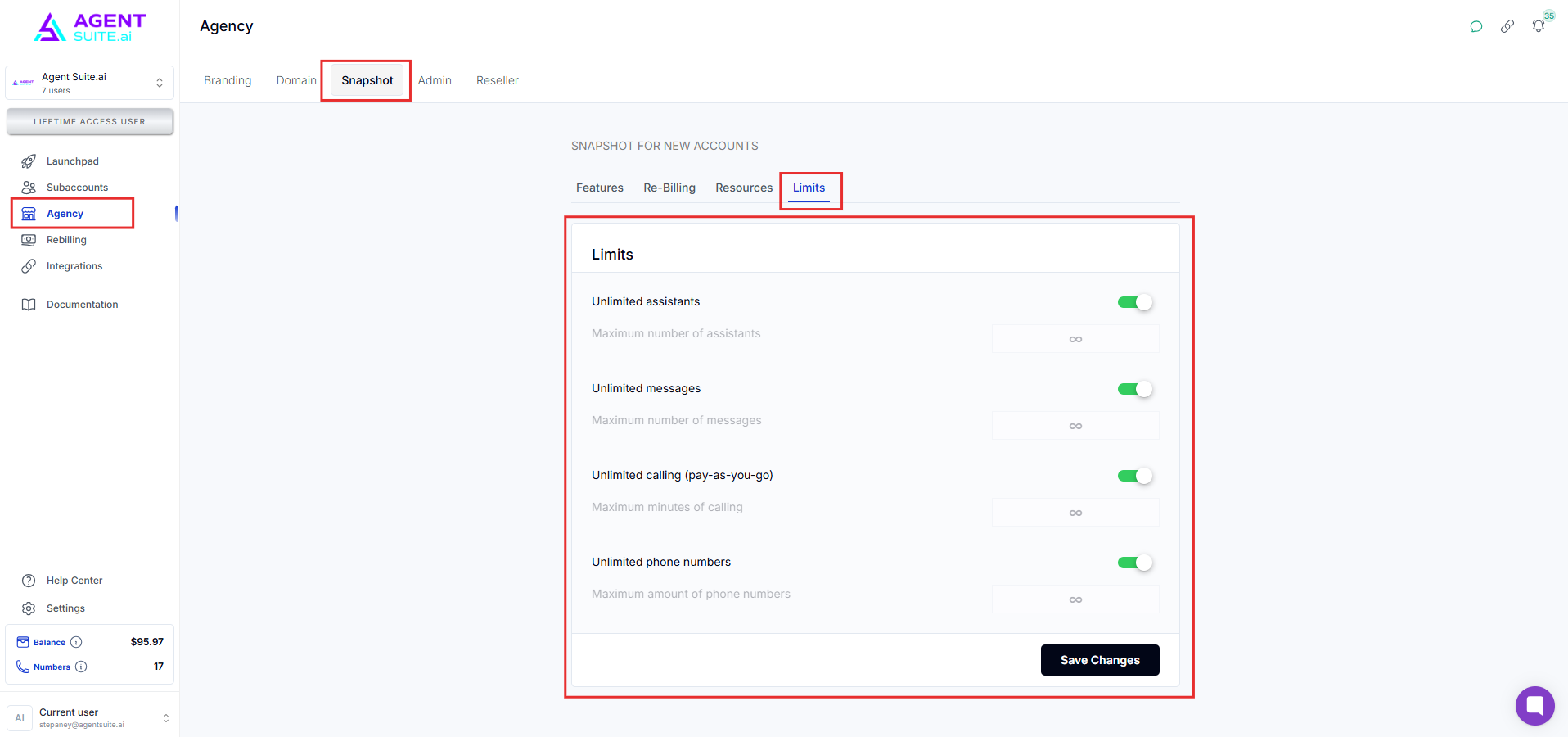
Define limits for:
Max Assistants
Max Messages
Or leave them as unlimited.
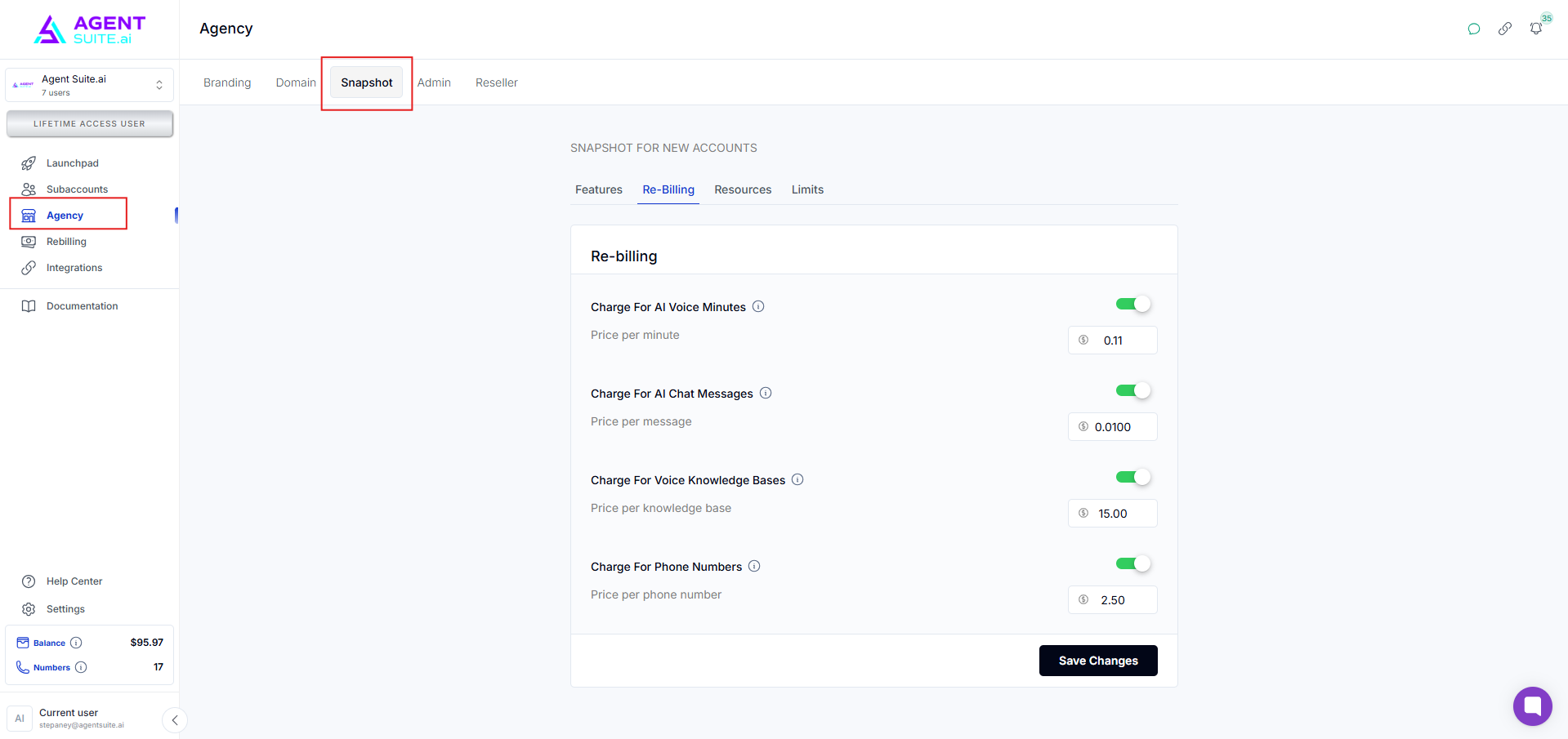
Turn on Rebilling for new sub-accounts.
Set price per voice minute (e.g., $0.10), keeping in mind your cost is $0.07/minute for margin calculation.
Optionally include billing email branding via your credentials at recent.com.
Go to a sub-account with a well-built assistant (e.g., landing page).
Copy its Assistant Snapshot ID.
Return to the agency settings and paste it into the Assistant Snapshot field.
Click Add—this assistant will now auto-clone into all new sub-accounts.
Go to the Manage Accounts section.
Create a new sub-account to test or deploy.
Once created:
Rebilling prompt will appear (if enabled).
Pre-selected features will be enabled or hidden.
Pre-added assistants will be visible and ready to use.
From the Manage Accounts view, find the new sub-account.
Enable Admin Lock and set a password.
The sub-account is now inaccessible without the password.
Even source inspection (F12) won’t expose content.
To unlock:
Visit the account
Enter the correct admin password
Q1: Will hiding features affect admin view?
No. Admins will still see everything. Hiding only affects client visibility.
Q2: Can I update the snapshot later?
Yes, you can update features, assistants, and limits anytime. Changes will apply to new accounts going forward.
Q3: Is assistant cloning automatic?
Yes. Once added via snapshot ID, the assistant is cloned into every new sub-account.
Q4: What happens if the admin password is lost?
Only agency admins with access to the dashboard can reset or remove the admin lock.
