In your workspace, locate and click on the desired sub-account
You can add to favorites to pin it at the top
Click the sub-account name to open it in a new tab via your white-labeled domain
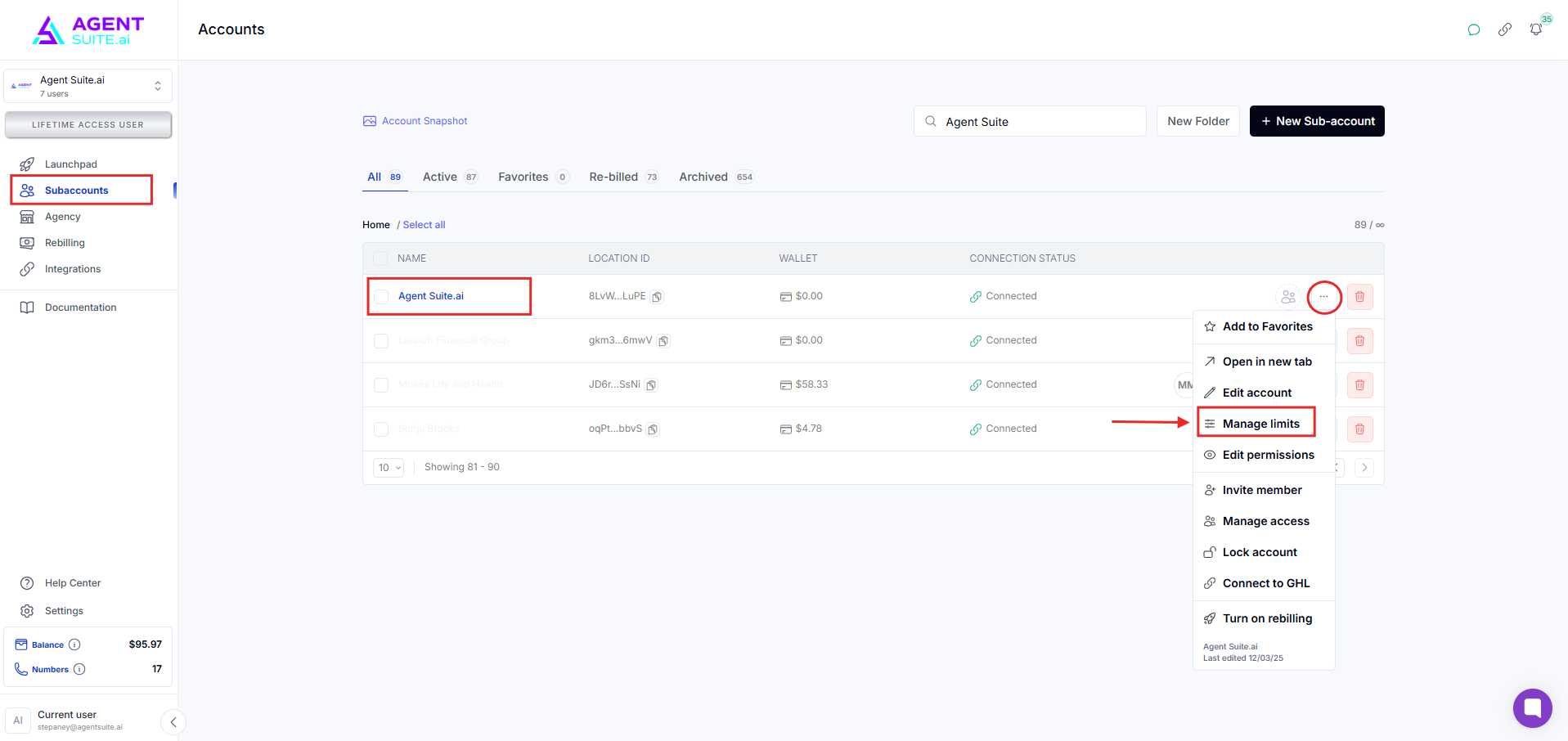
Click sub account (...)
Click Edit Account
Modify:
Sub-account name
Phone number
Website
Time zone
Info is auto-filled from GoHighLevel via OAuth but can be changed manually
Click Save Changes to confirm
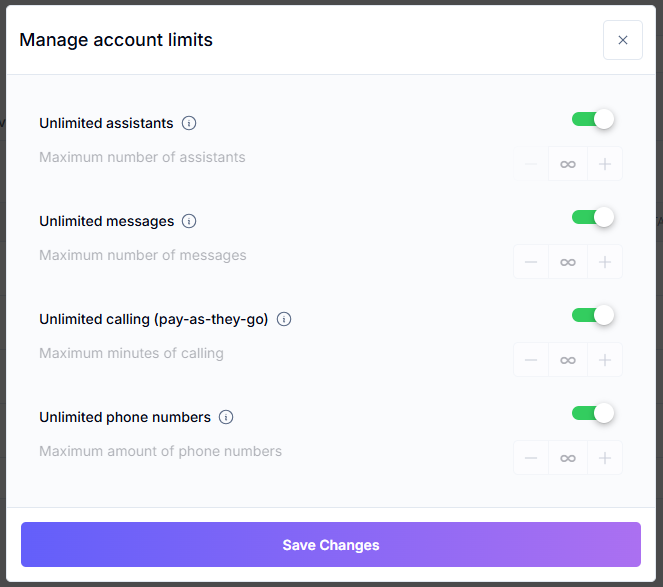
Go to Manage Limits
Define:
Max number of systems
Phone numbers, etc.
You can make everything unlimited or define limits per sub-account
Useful for managing plan features or restricting overuse
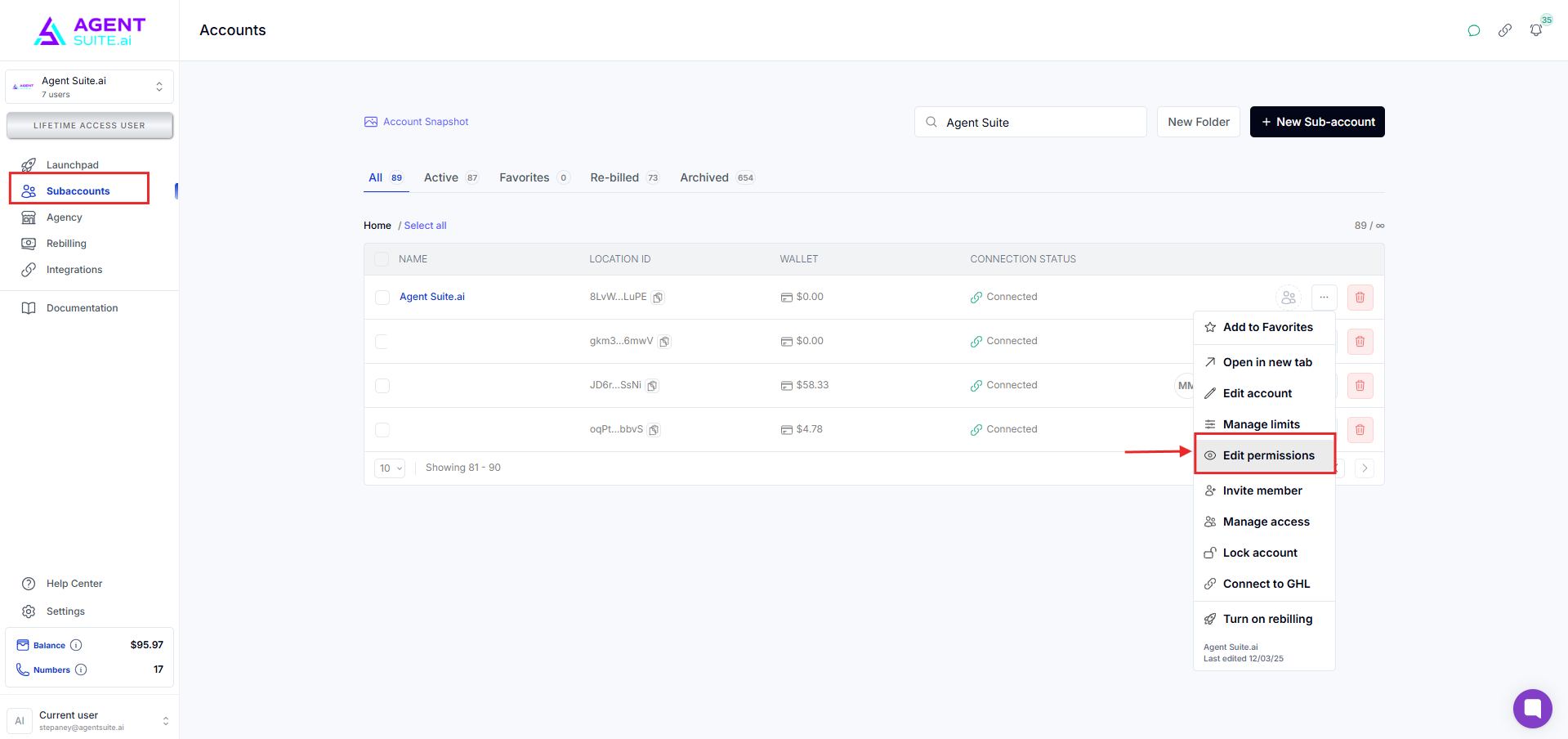
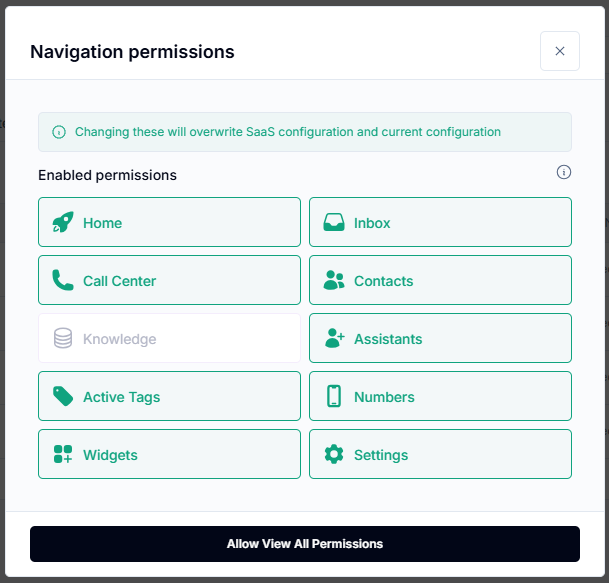
Use Permissions settings to control tab visibility
Admins always see everything — changes apply only to non-admin users
Uncheck tabs to hide them from clients
Check tabs to show them
Permissions follow the same model as snapshots
Click Invite Member or Manage Access
Add users by email — existing users are added, new users are created
Essential for clients to:
Access settings
Manage billing
See the billing tab (must be an authorized user)
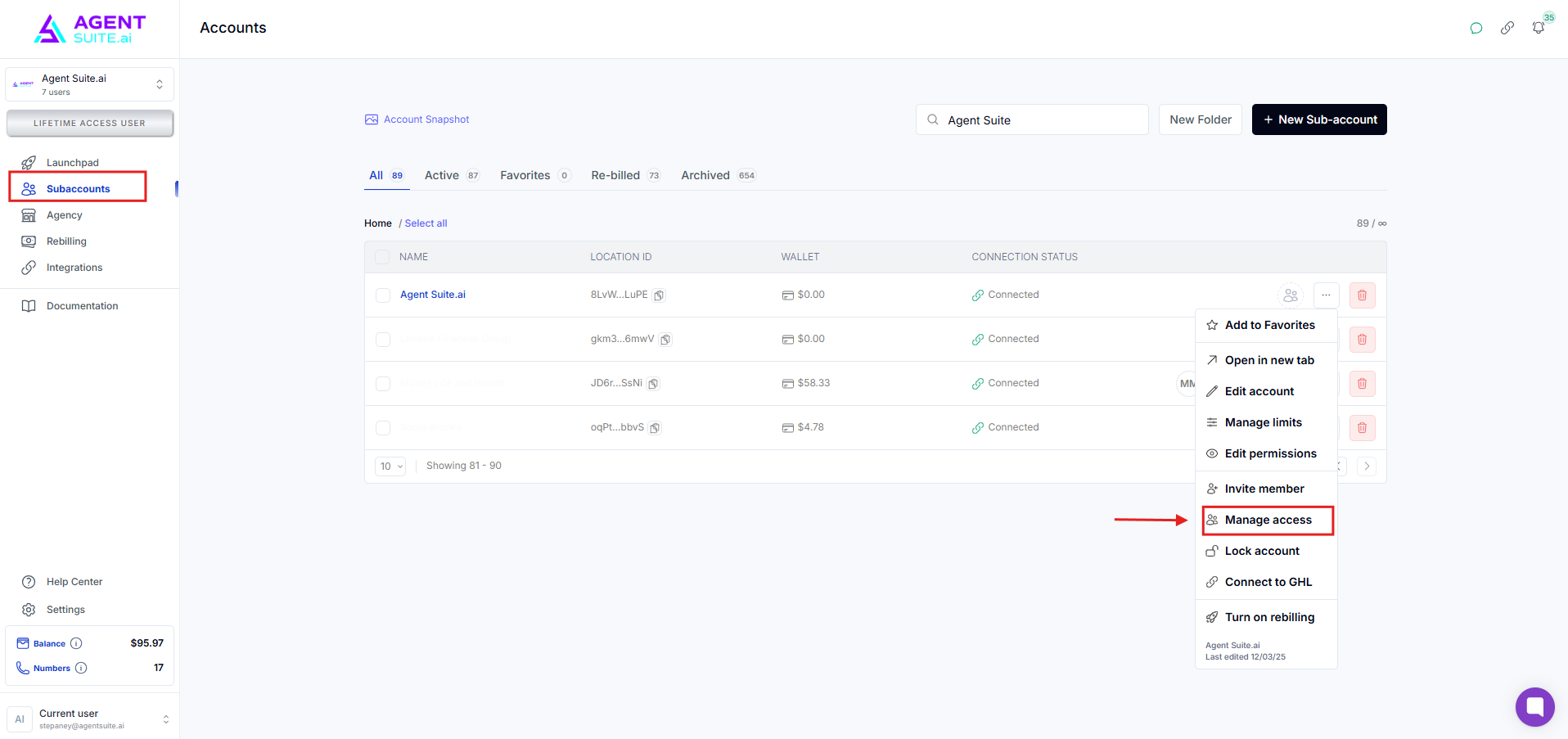
Use Lock/Unlock options for admin-level security
Requires admin password
Useful for restricting or freezing access temporarily
If sync breaks or fails, click:
Use Agency Connection to refresh
Direct Connect to manually re-authenticate the sub-account
Sub-accounts with rebilling will show a credit card icon
Click Manage Rebilling to:
Enable rebilling
Set custom rates for voice minutes
Add wallet balance or monthly allowance
Assign a customer ID after card is added
Once billing is active, credit card icon confirms it's working
Q: Why can’t I see the billing tab in the sub-account?
A: You must be an authorized user of the sub-account.
Q: What happens when I exceed sub-account limits?
A: Features may be restricted; adjust limits manually or upgrade the plan.
Q: How do I hide tabs from clients?
A: Use the Permissions tab to disable visibility for non-admin users.
Q: Can I invite someone not already in the system?
A: Yes, they’ll be auto-created during the invite process.
Q: What does the credit card icon mean?
A: It shows the sub-account has active rebilling with a valid payment method.
