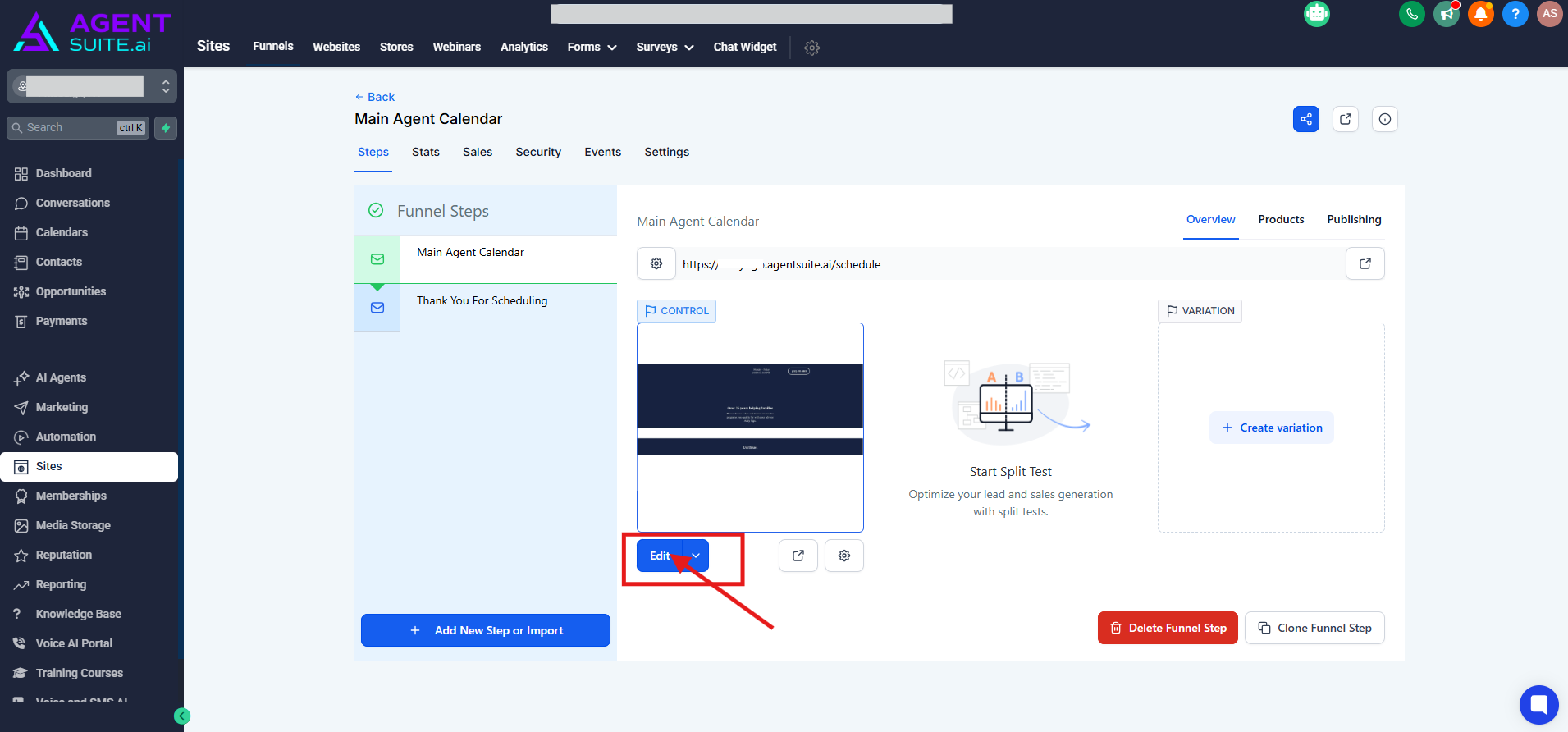
PRODUCT AND RATE REVIEW CALENDAR acts like your Main Agent Calendar.
It is also the calendar where all of your bookings will go—whether it’s final expense, mortgage protection, or anything else, they’ll all flow into this single calendar.
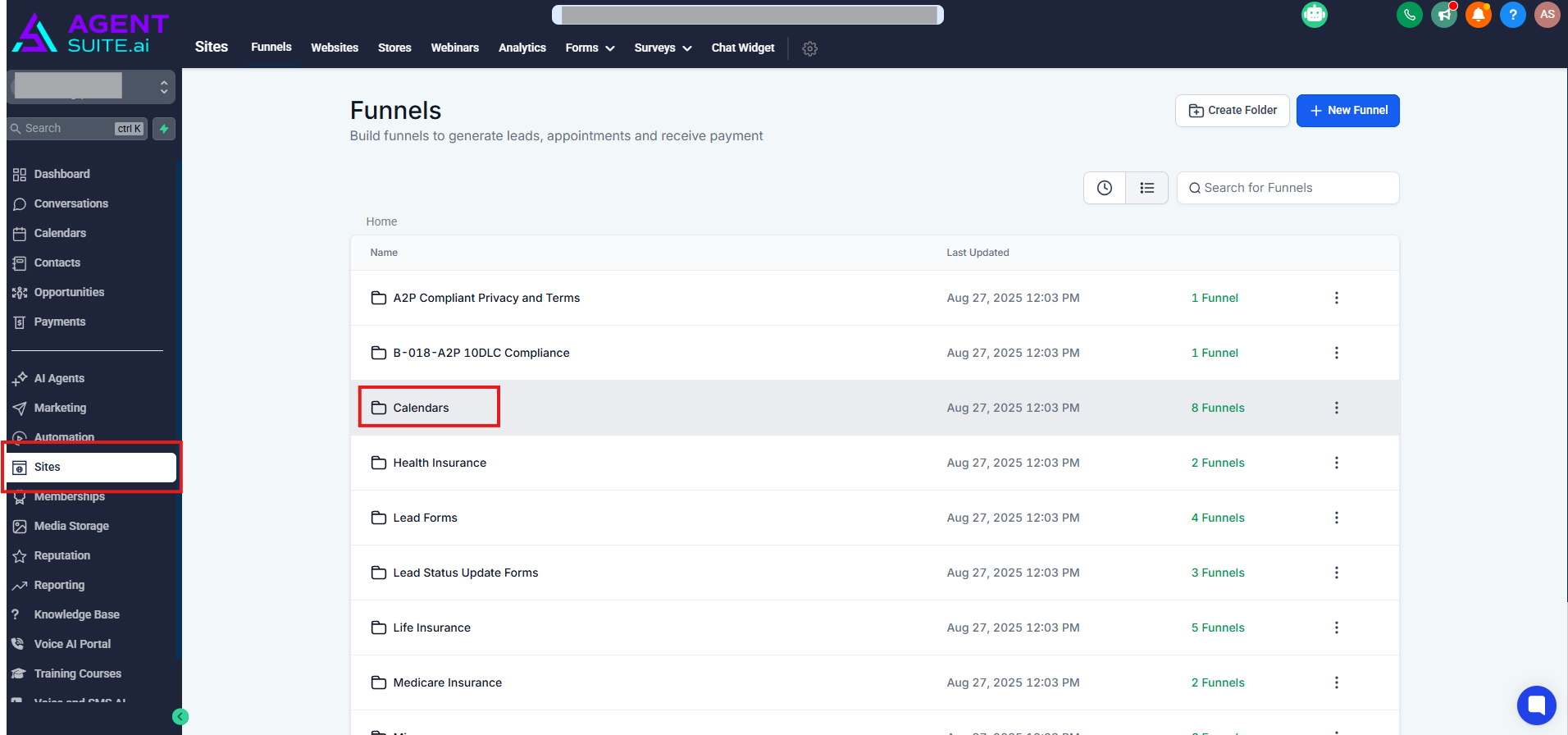
How to get there:
● Go to Sites > Calendars folder
● Click on Main Agent Calendar
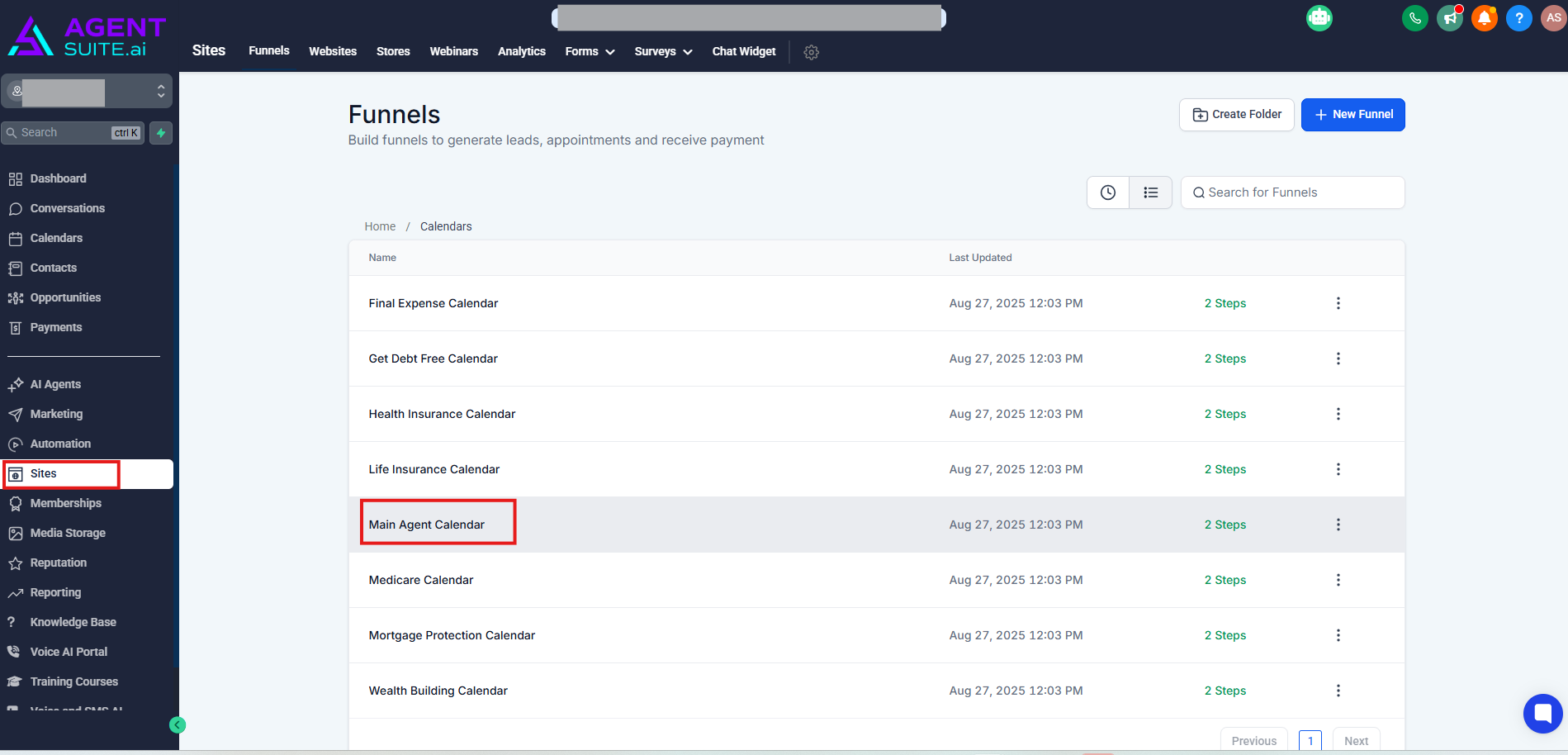
To view the Calendar:
You can either copy the URL and open it in a new tab, or click the View Page button to visit the link directly. Once it’s open, save it as a bookmark so you’ll always have quick access to your calendar link.
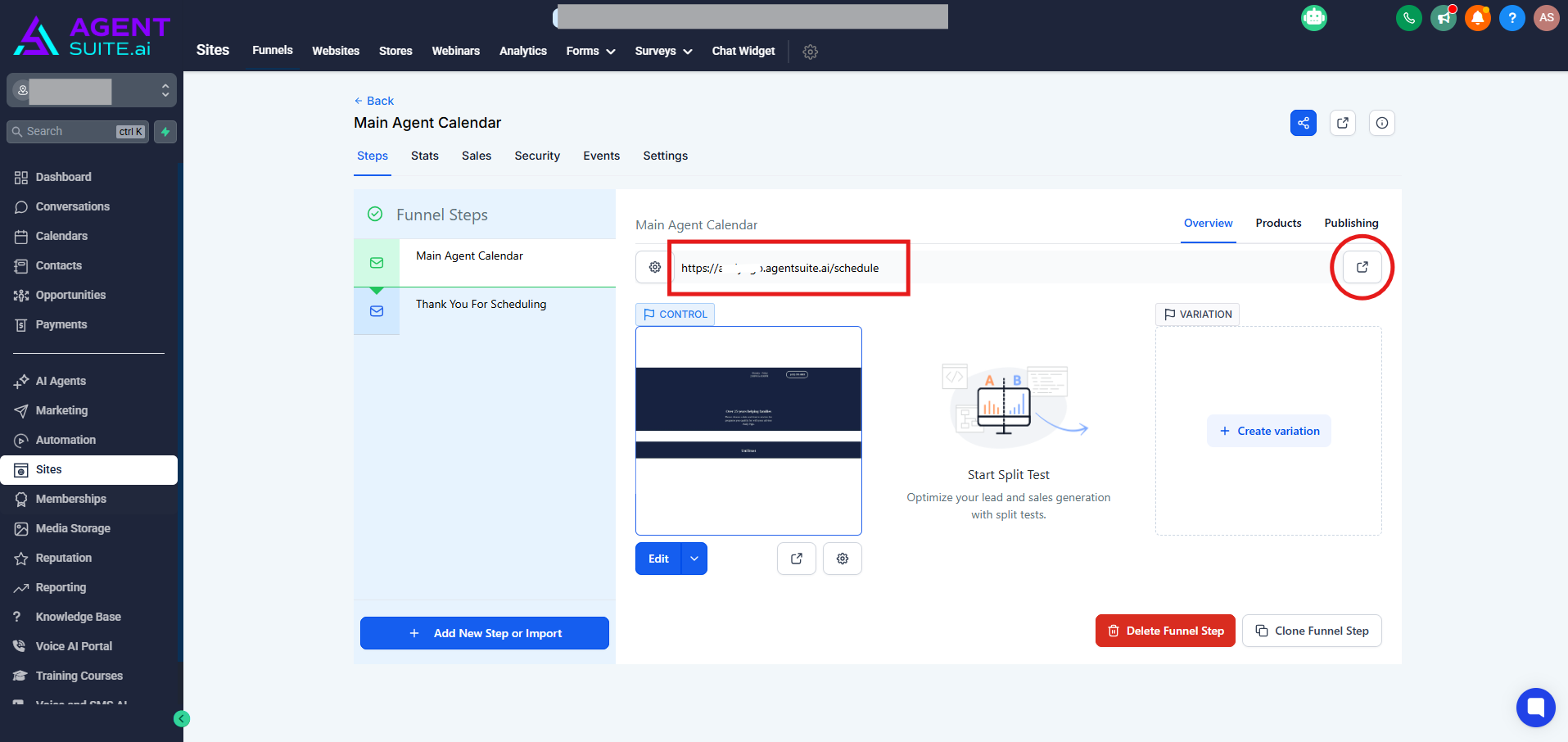
How to edit your Calendar:
To customize your calendar, click the Edit button. From there, you can update the background color, headshot photo, phrase, and more. However, avoid changing any of the fields with custom values, as that could break your calendar. Once you’ve made your changes, click Save and Publish in the top right corner.