
Below are the different calendar types within the platform. All of these ultimately roll into a main calendar.
Here’s what’s important to know about this section:
If you’re working with more than just mortgage protection—say, final expense or life insurance—you’ll want to make sure the corresponding calendars are active.
You can confirm this by checking the status column here.
The reason this matters is because our AI uses line of business to organize everything. For example, if you’re doing mortgage protection, your leads will be tagged accordingly. The AI will then pull the correct prompts, use the right calendar, and handle everything specific to mortgage protection.
All of this still filters into your main calendar.
So, the key takeaway is: as you add new products, be sure to enable the appropriate calendars so the AI can work with them correctly.
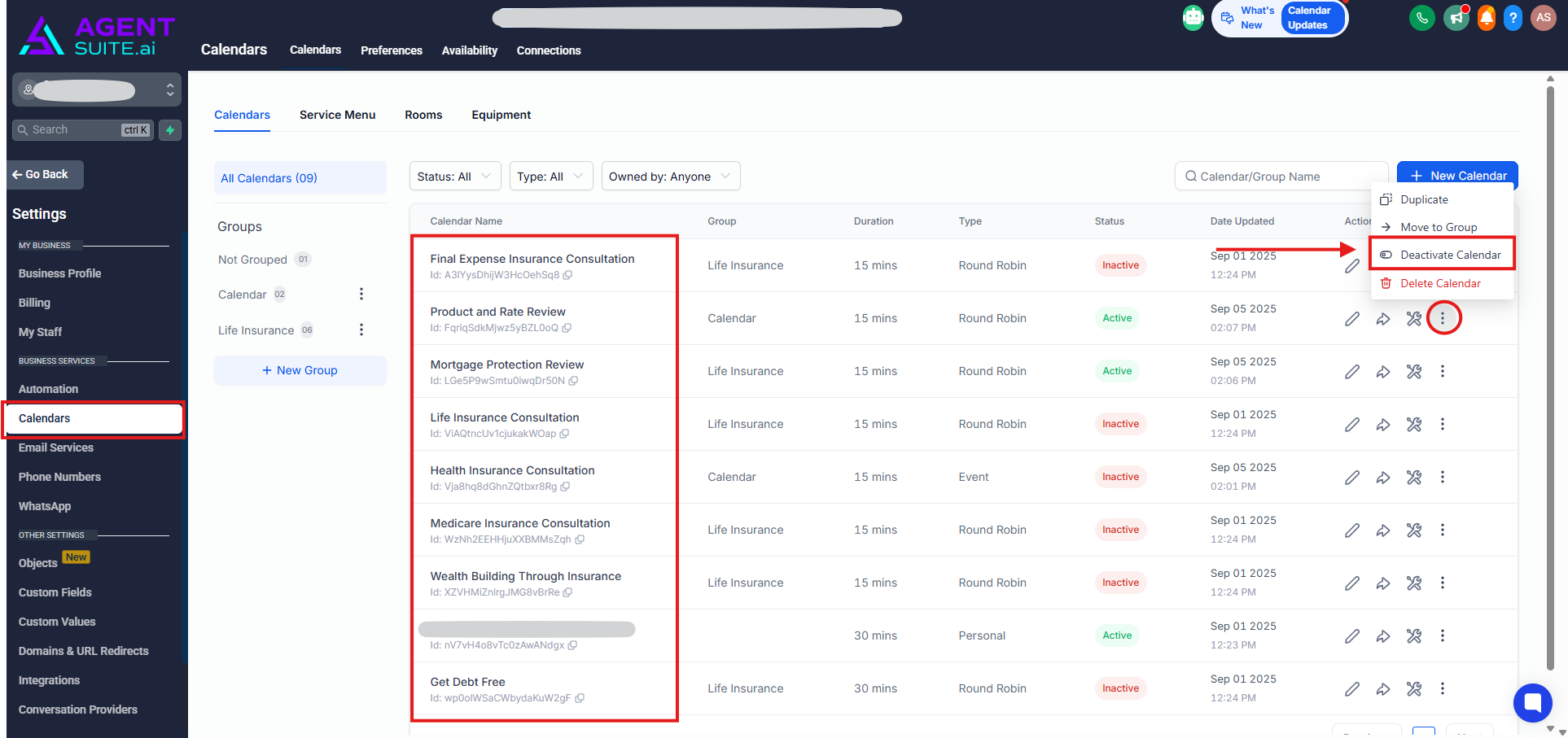
By clicking the three dots next to a calendar, you’ll see additional options such as Duplicate, Move to Group, Deactivate/Activate, and Delete.
If you’d like to deactivate or reactivate a calendar, simply select the appropriate option from this menu.