This SOP walks you through setting up a custom AI assistant using the Blank Canvas option inside the AI Workspace platform. You'll learn how to define the AI's identity, structure tasks, and ensure it responds in a clear, casual, and brand-aligned way—perfect for sales demos or live interactions.
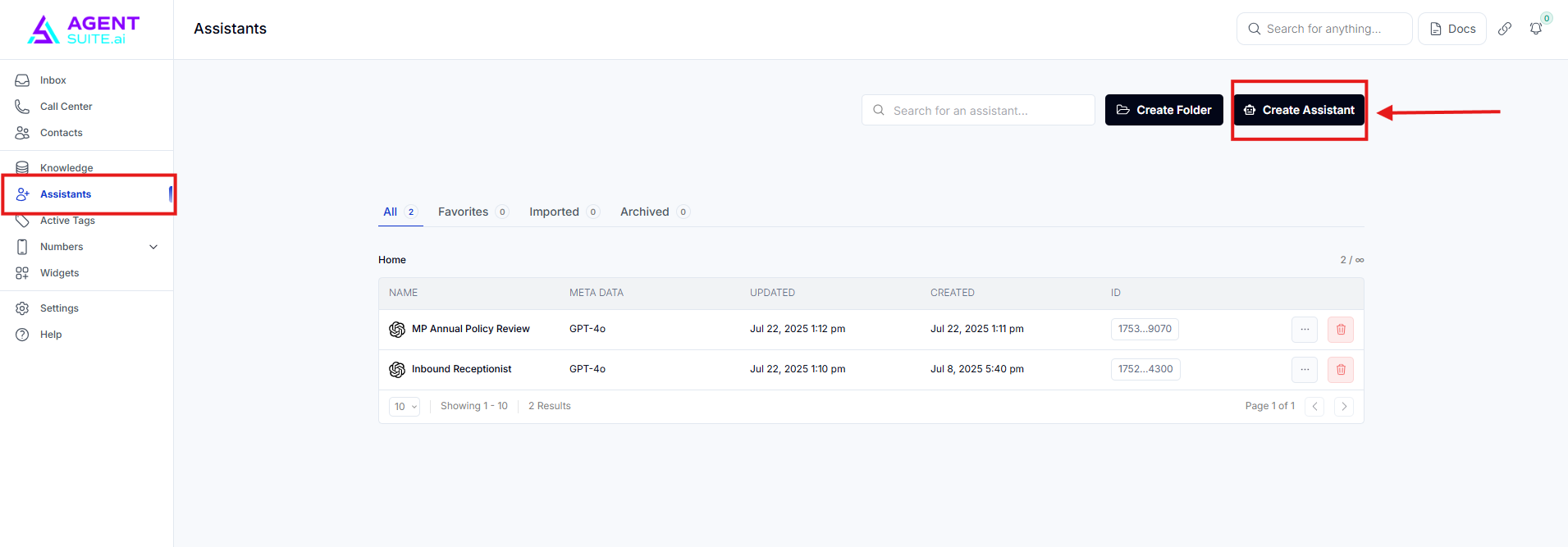
Go to the Assistants tab in the platform.
Click Create New Assistant in the top right.
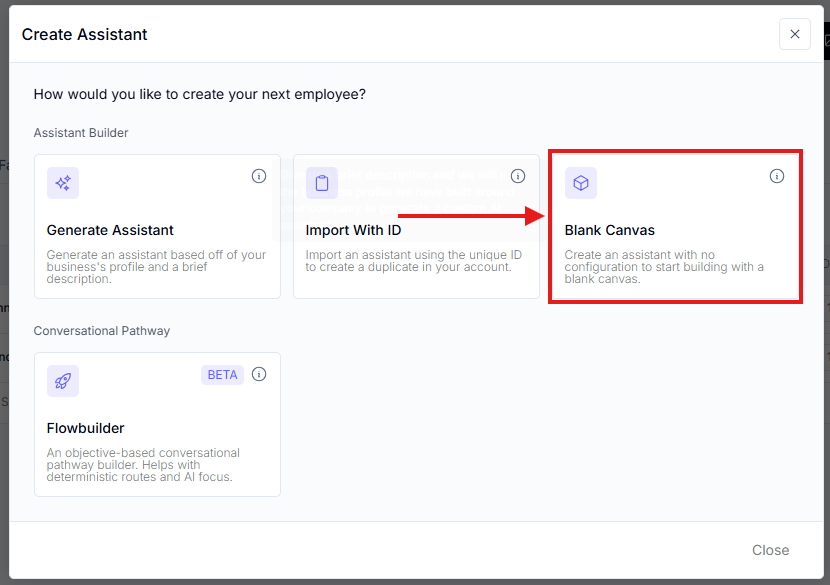
Select Blank Canvas.
Name your assistant (e.g., "Emma").
Add a clear description of who the assistant is and what it does.
Example: "Emma is an AI sales rep that role-plays sales calls for a user's business."
Include tone and style preferences:
Concise responses (no long paragraphs).
Casual but professional language.
No emojis or interjections like “got it” or “thanks for that.”
Affirmations used sparingly.
Write a short company overview (e.g., "We build AI agents that follow up with leads and book appointments.").
Add general pricing info or a statement like: "Custom pricing based on your business needs."
List core services (e.g., AI appointment setting, follow-up, lead qualification).
Add a section to reinforce how the assistant should talk:
Be concise.
Use everyday language (avoid jargon).
Ask one question at a time.
Stay on topic and redirect off-topic chats.
Be proactive—guide the conversation.
Use the auto-generated ones from the platform if available.
If building manually, follow the same voice and behavior patterns as in the guardrails.
This is the heart of the assistant. Use numbered steps and conditionals where needed.
1. Greet the user and introduce as a sales rep.
2. Ask if they want to join a role-play demo.
3. If yes, ask questions to collect:
Business name
Business description
Best-selling service
4. Start the role-play, acting as the business’s sales rep.
5. Ask up to 3 qualifying questions based on the business info.
6. Present benefits of the top service and address objections.
7. Try to "close" or schedule a mock appointment (don't actually book).
8. Exit character and ask for feedback.
9. Qualify the lead further by asking about their sales process, call volume, and interest in automation.
10. Ask if they want to speak with an AI specialist. If yes, go to booking. If no, end the conversation politely.
Use headers like ## Identity, ## Tasks in your prompt for clarity.
Stick with concise, casual responses. It feels more human.
Don’t overload the assistant—one question or action per step.
