
0 VOICE AI WORKFLOWS
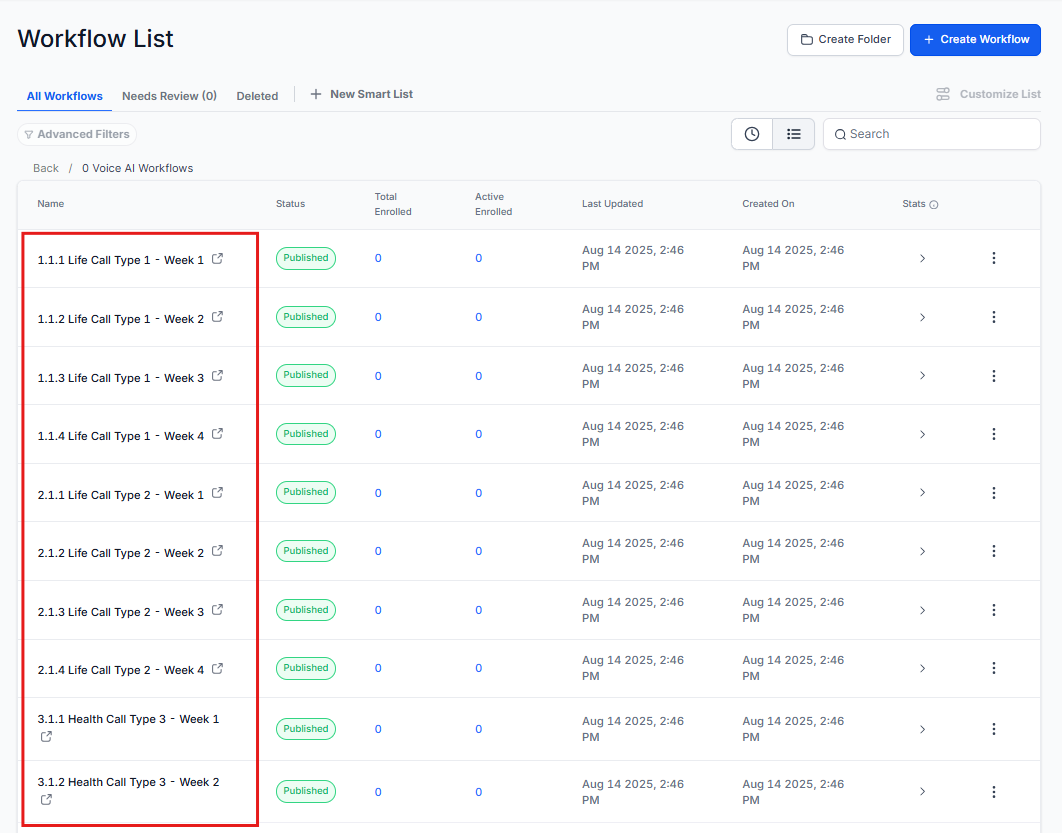
These workflows contain the tags that trigger the outbound call. For each call type, you’ll need to add a tag, which you can also rename if needed. For instance, if you need to rename the workflow to ‘Life New Leads’, the corresponding tag should also be updated to ‘life new leads.’ The contacts are sent to the other workflows to continue the process.
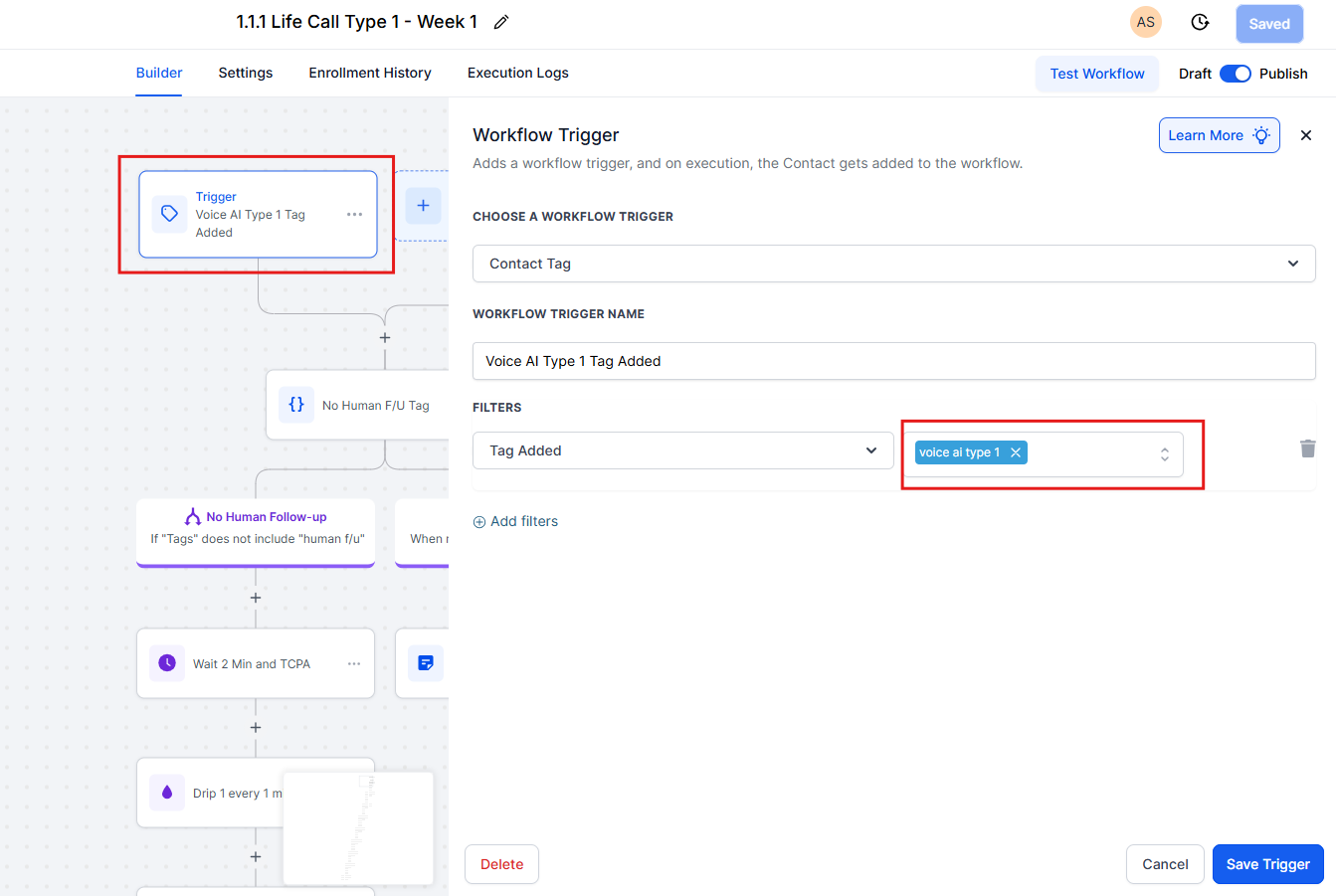
In Life Call Type 1 – Week 1, the trigger tag being used is ‘voice ai type 1.’ You may keep the same tag if you’d like, or update it to whatever you want.
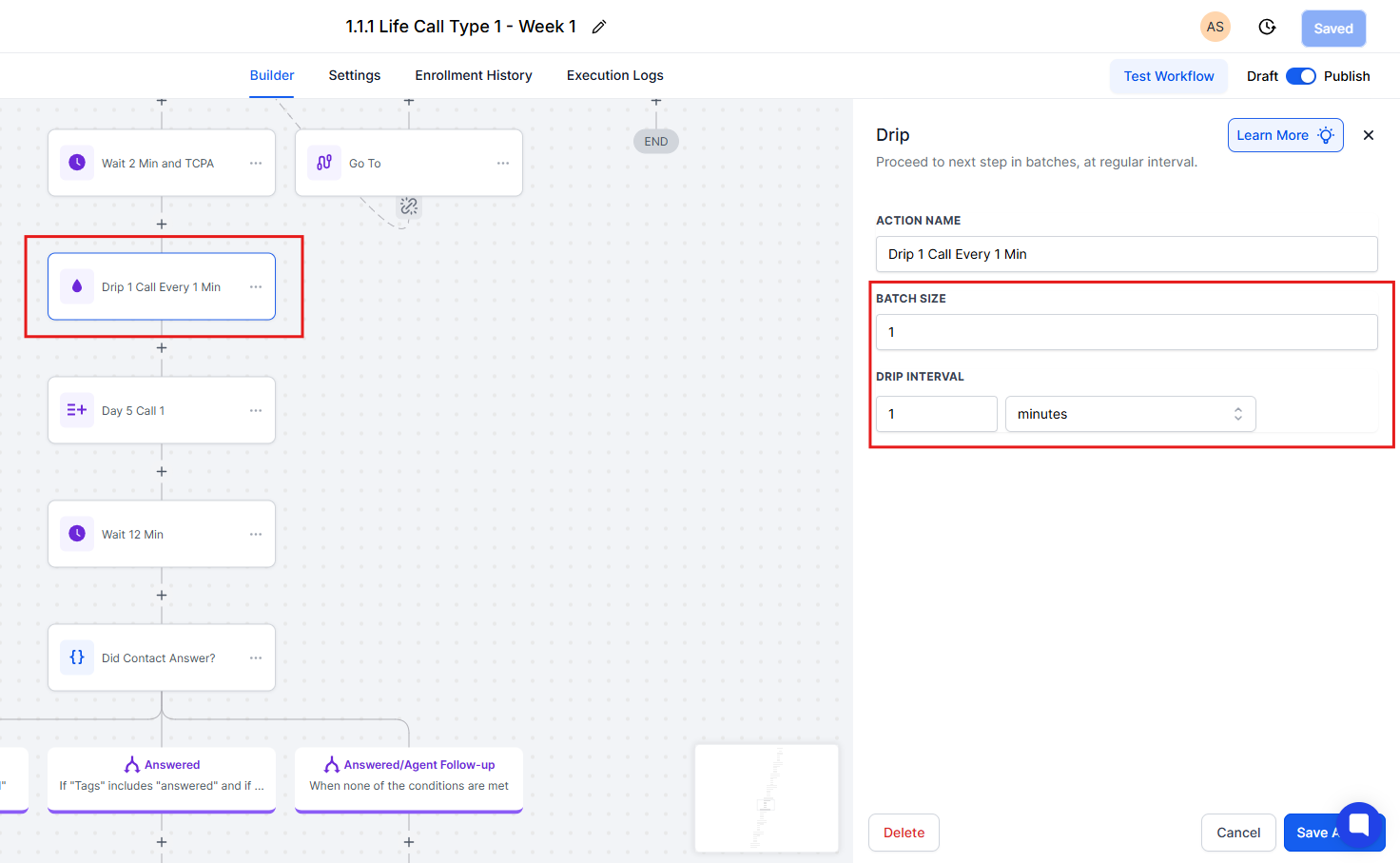
You can also edit the workflows. For example, if you want the AI to call only once a day, or if you prefer multiple calls per day, you can adjust those settings. Currently, the default setting is one call per minute.
NOTE: If you’d like to use outbound Voice for multiple lines of business, you’ll need to copy the MP Policy Review Assistant along with its prompt, then update the prompt to match the specific line of business you want to target. Currently, the only prompt we have set up for outbound and inbound is for Mortgage Protection.