
What is a Digital Business Card?
A digital business card is a modern, shareable version of a traditional business card — but instead of being printed on paper, it's stored online and easily sent via text and/or email.
Your business card includes:
Your name, title, and company
Contact info (phone, email, social media)
Calendar link and website (if you have one)
A profile photo and logo (if you have one)
And clickable call-to-action buttons
Where do I find my digital business card in Agent Suite?
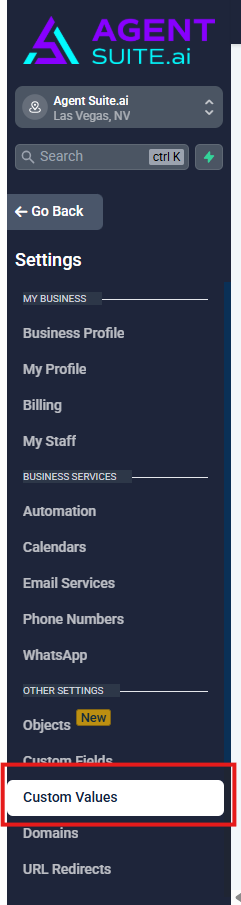
From the sub-account dashboard, click Settings in the left-hand navigation menu.
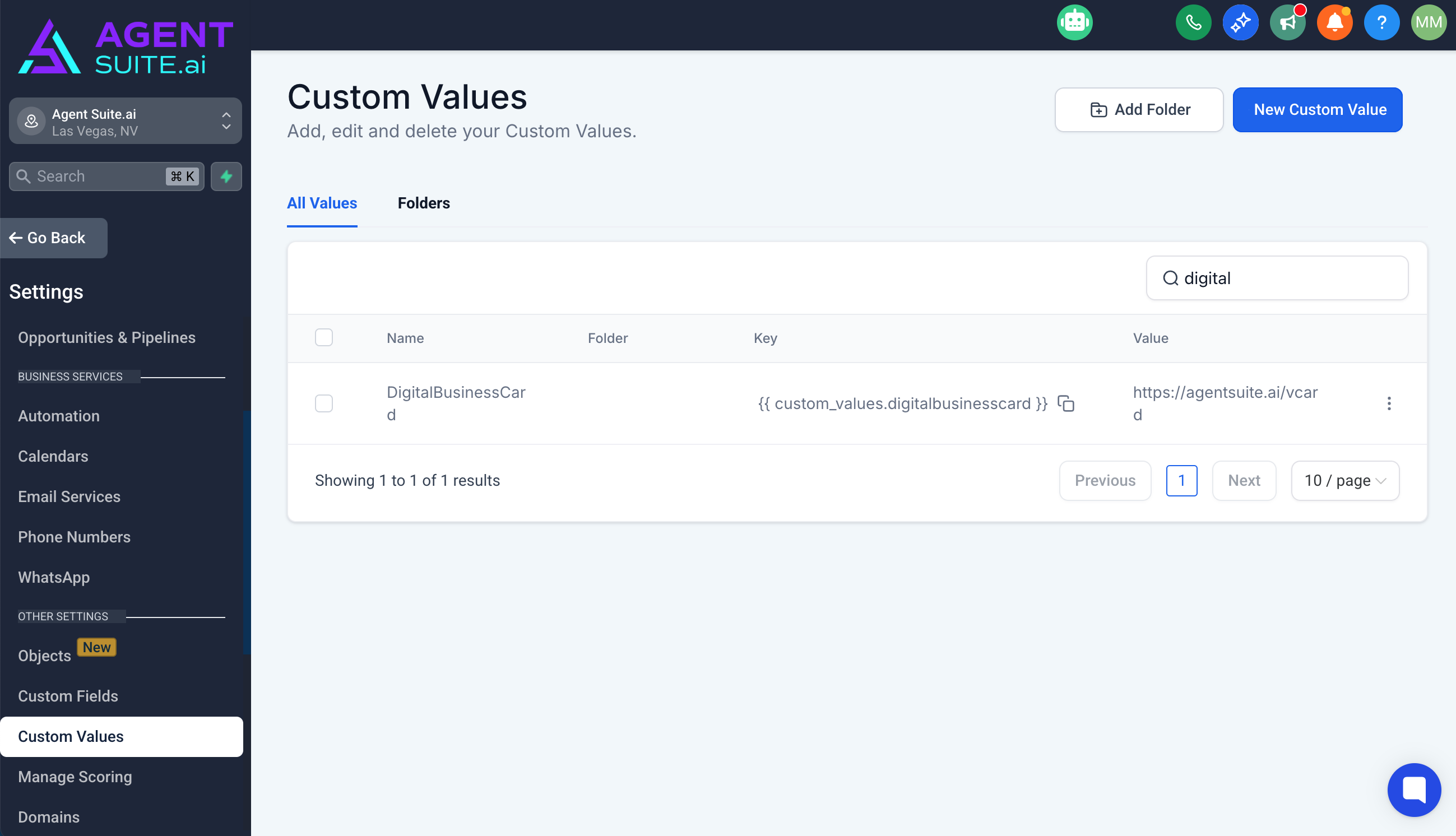
Select Custom Values from the list of settings options.
In the top right hand corner, you can search for all custom values. Search Digital Business Card and then you can copy the link under Value and bookmark it.
How can I edit my digital business card?
To maintain the quality and consistency of your digital business card — and because of how it's integrated into our system on the backend — we don’t offer direct editing access.
But no worries!
If you need to update anything (like your name, photo, contact info, or links), just let us know at [email protected] and we’ll get it updated for you right away.